How It Works
From blank page to
published story in
three steps.
No drawing skills. No Photoshop. No prompt engineering. Just describe your story — YarnSaga handles everything else.
Pick your art style
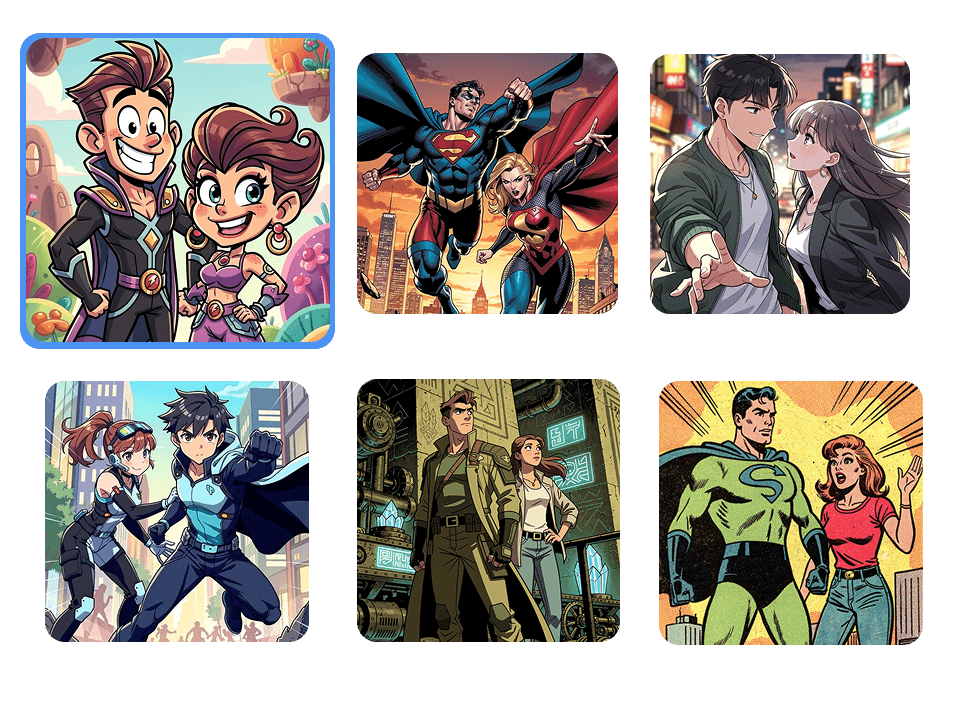
Choose from 20 styles — Manga, Noir, Superhero, Ghibli, Watercolor, Arcane, and more. Every panel will be rendered in that style consistently.
Create your characters
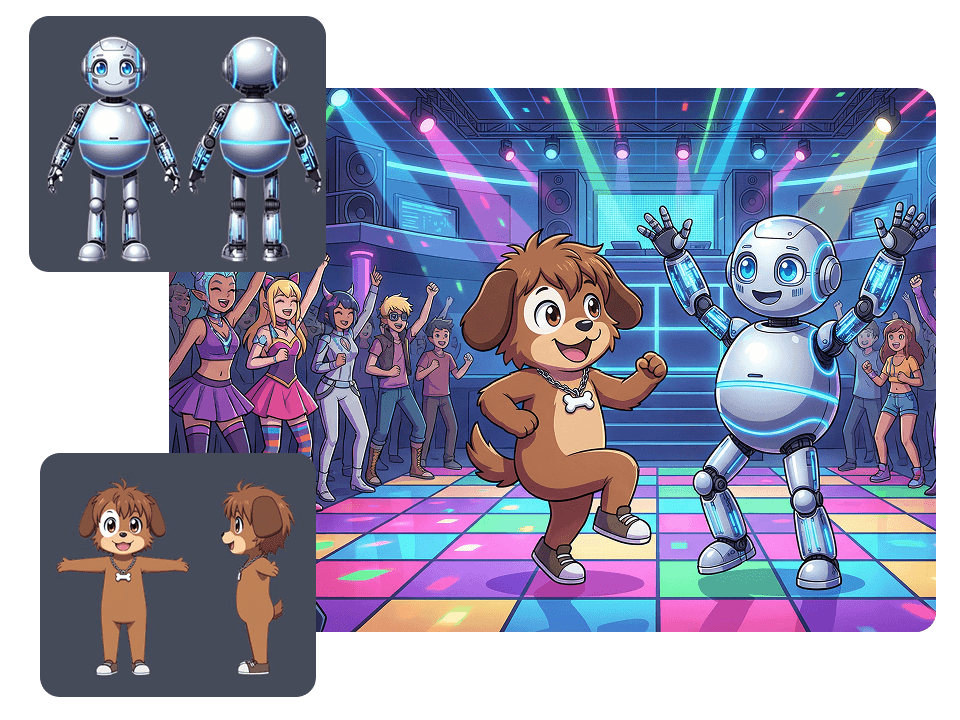
Describe them in text or upload a photo. AI generates a 3-view character sheet. That look is locked in across every panel you ever create.
Build, publish, share
Choose a panel layout, describe each scene in plain English, add speech bubbles, and hit publish. Your story goes live with a shareable link instantly.
Demo
See it in action.
Watch a complete story get created from scratch — character design, scene generation, layout, speech bubbles, and publish — in a single session.
Step by step
Every step, explained.
Choose your visual universe.
Start by picking the art style that fits your story. From Japanese Manga to Western Superhero, Chibi, Retro Illustrated, Watercolor, and beyond — every style shapes how your world looks and feels.
- —Manga, Manhwa & Chibi
- —Western Superhero & Retro Illustrated
- —Watercolor, Pixel Art, and more
Step 01
Pick your visual
universe.
The art style you choose shapes everything — the mood, the tone, the way your world feels to a reader. YarnSaga has 20 styles, from classic Manga to cinematic Arcane, Noir to Watercolor. Pick the one that fits your story.
Every character, every scene, every panel will be rendered in that style consistently. You can preview styles before committing, and switch styles at any time.
- —20 art styles — Manga, Noir, Superhero, Ghibli, Arcane, Watercolor, and more
- —Every panel, character, and scene rendered in your chosen style
- —Preview styles before committing
- —Switch styles at any time
Step 02
Build your character.
Once.
Describe your character in plain English — their face, hair, outfit, personality — or upload a photo and let AI do the analysis for you. YarnSaga generates a full 3-view character sheet: front, side, and back.
That character sheet is then locked in. Every panel you generate from this point pulls from it automatically. The same face. The same costume. Every single time. No re-prompting. No inconsistency.
- —Text description or single-step photo upload
- —AI generates a 3-view character sheet (front, side, back)
- —Character sheet rendered in your chosen art style
- —Same face and costume auto-applied to every panel
- —Multiple characters per story, each independently consistent
Step 03
Write scenes.
Build pages.
Publish.
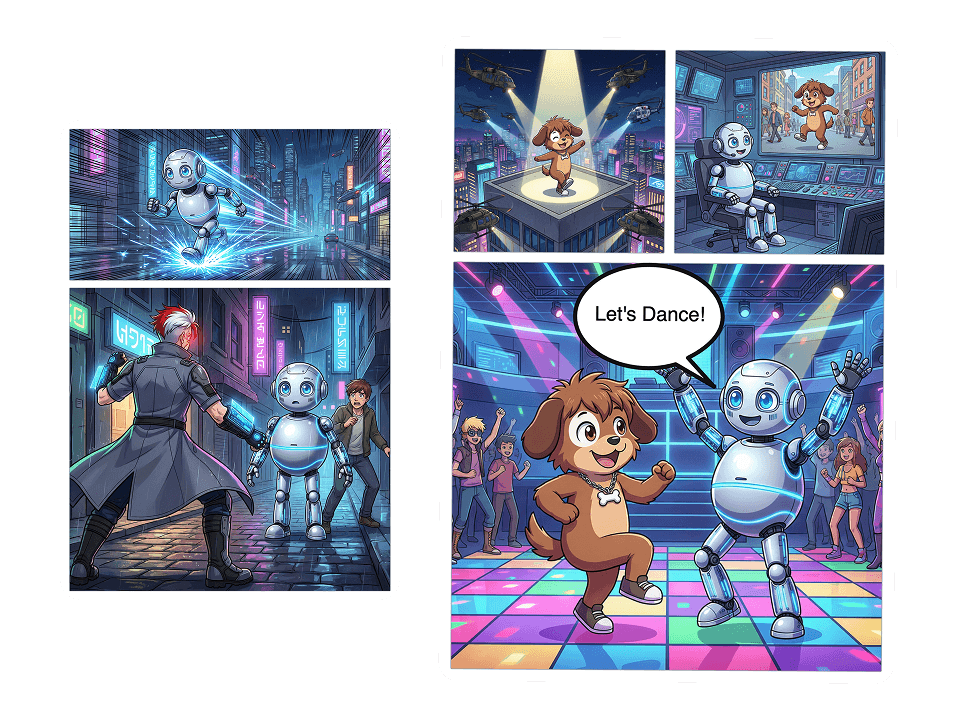
Choose a panel layout template, write what happens in each scene in plain English, and watch AI generate the illustration in seconds. Drop in speech bubbles. Arrange pages. Repeat until your story is done.
When you're ready, hit publish. Your graphic novel gets a shareable public link instantly. Export as PDF, PNG, or JPG for print, social, or anywhere else.
- —Dozens of panel strip templates — 1 to 12 panels per page
- —Plain English scene descriptions — no prompt engineering
- —Speech, thought, shout, and narrator bubble variants
- —Drag, resize, and rotate bubbles anywhere on the page
- —One-click publish with instant shareable link
- —Export as PDF, PNG, or JPG
Questions
Still wondering?
Get started
Your story is
three steps away.
No subscription. No drawing skills. No waiting. Credit packs from $6.