Features
Everything you need.
Nothing you don't.
One complete workflow — from blank page to published graphic novel. No drawing skills. No illustrator. No stitching together five different tools.
01 — Character Consistency
Same character.
Every single panel.
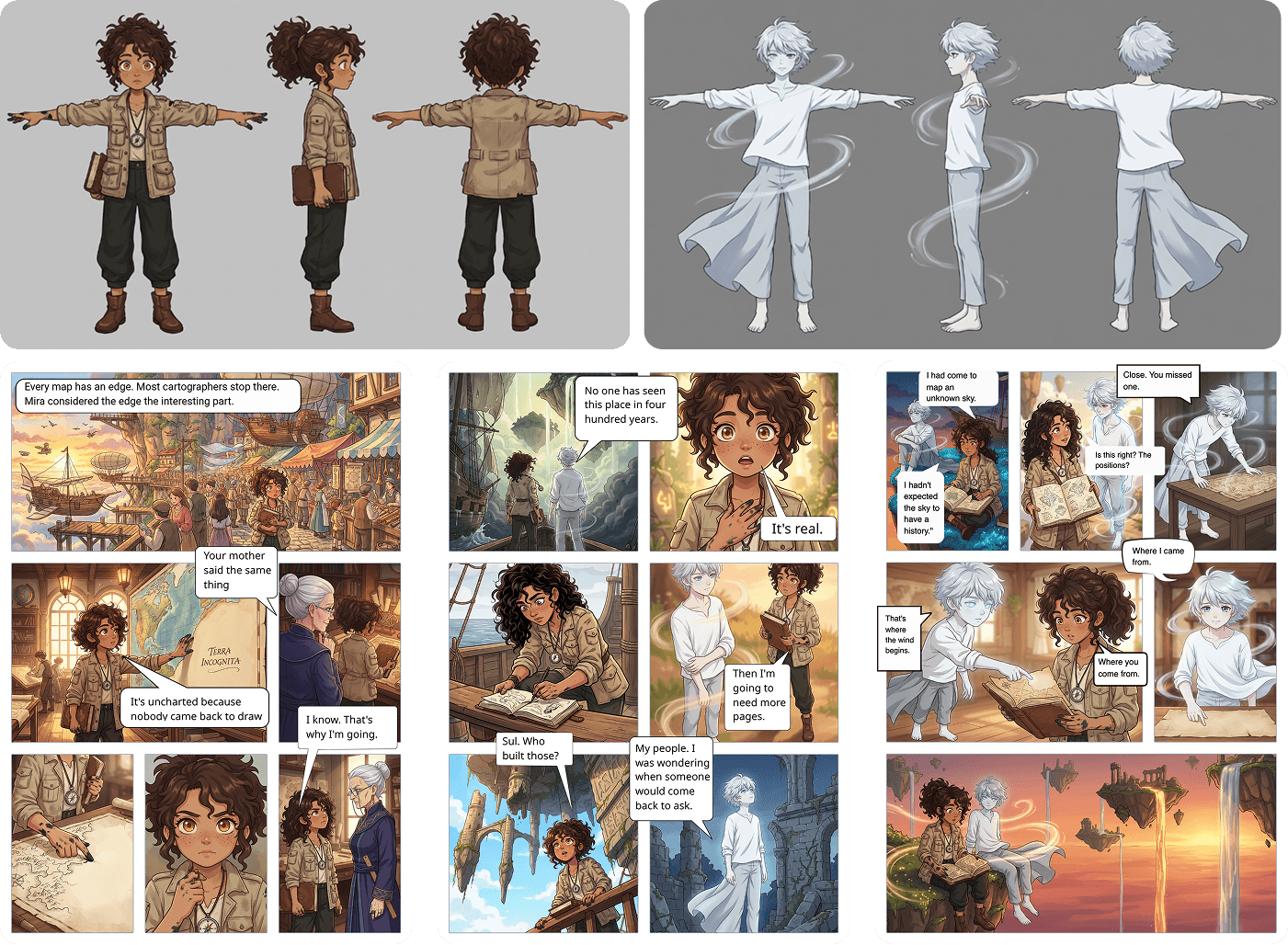
This is the problem every other AI image tool refuses to solve. Midjourney gives you a different face every generation. YarnSaga locks in your character's identity — face, hair, costume, style — and keeps it identical across every panel, every page, every scene. Automatically.
- —Define your character once — text description or photo upload
- —AI generates a full 3-view character sheet (front, side, back)
- —Same face, hair, costume, and style in every panel automatically
- —Works across all 20 art styles without re-defining
- —Multiple characters per story, each independently consistent
02 — AI Scene Generation
Describe it.
See it in seconds.
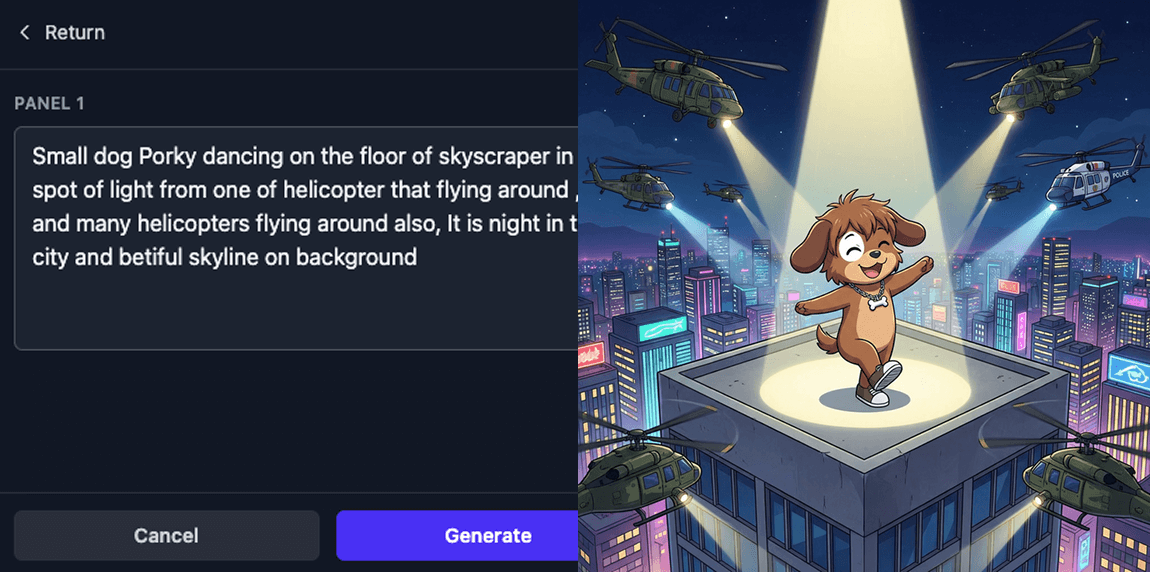
Type what happens in plain English — "Elena bursts through the door, rain-soaked, out of breath" — and watch the panel appear. No prompt engineering. No Discord servers. No technical knowledge required.
- —Plain English scene descriptions — no prompt engineering
- —Upload a sketch or draft — AI analyzes and generates from it
- —Dialogue auto-extracted and stored separately, never baked in
- —Scene validation before generation — quality and safety checks
- —One-click regenerate with any modified description
- —Async generation — keep working while panels render
03 — Sketch to Scene
Draw the layout.
AI builds the scene.
Sketch your panel composition on paper first — stick figures, rough shapes, doesn't matter. Upload it. YarnSaga reads the composition: who's where, what angle, what's in the room. Drop your character directly into the sketch and they'll appear in exactly that spot in the final panel. No drawing skills needed — the sketch is just a layout guide.
- —Draw stick figures or rough shapes — any paper, any tool
- —Upload the sketch — AI reads composition, angles, and framing
- —Drop your character into the sketch for exact placement in the final panel
- —Works with napkin drawings, phone photos of paper, or digital drafts
- —No drawing skills required — the sketch is only a layout guide
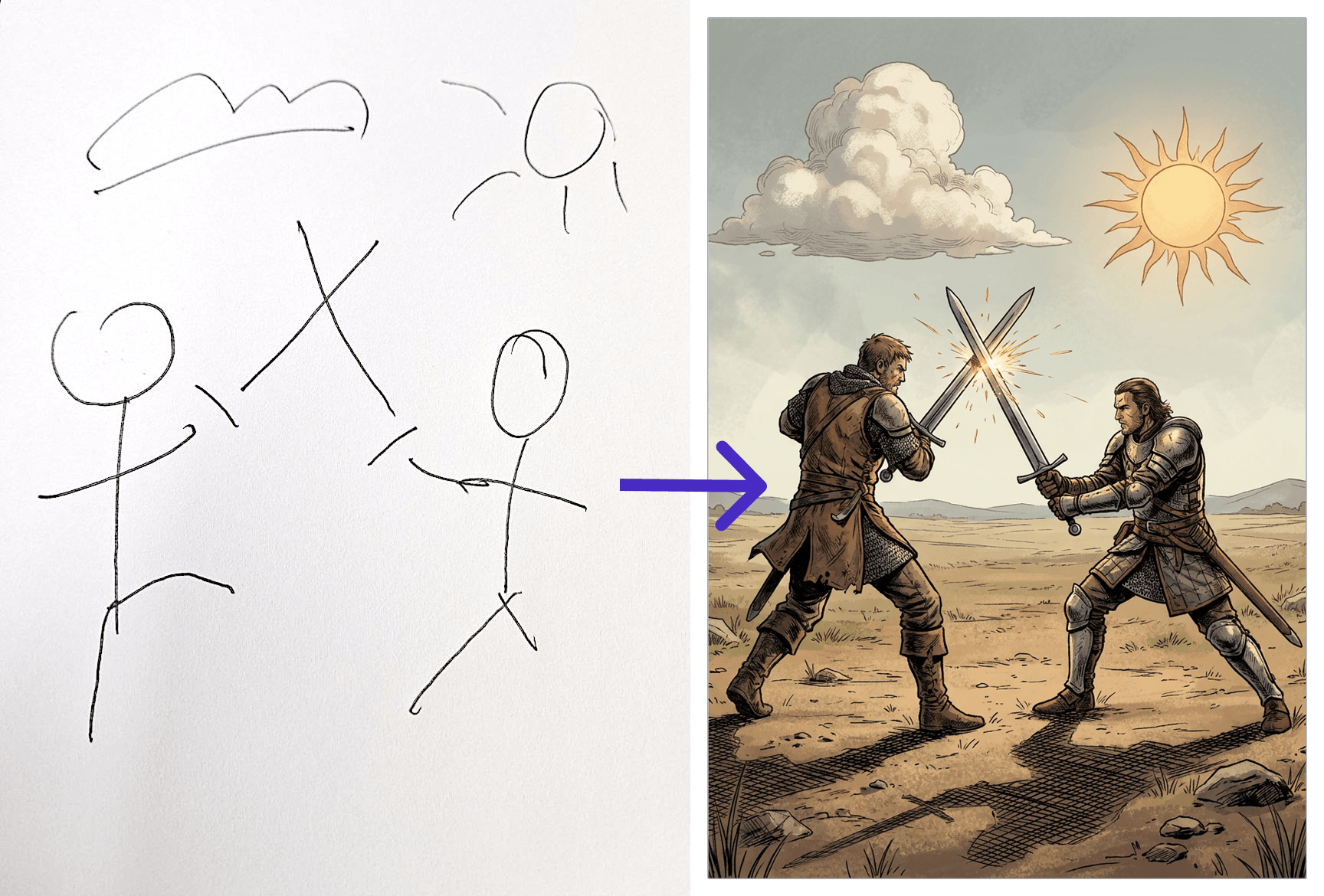
▶ Watch the short video to see how it works
04 — Photo to Character
Upload a photo.
Get a character.
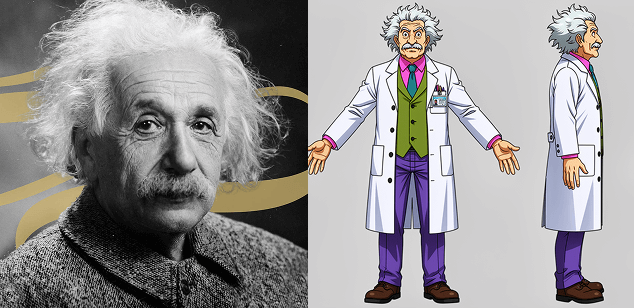
Upload any photo — a selfie, a face reference, even a pet — and AI recreates it as a fully styled character in your chosen art style. The description form auto-fills. The character sheet generates. You go straight to creating panels.
- —Single-step: upload → AI analyzes → form auto-fills
- —Works with selfies, portraits, pet photos, illustrations
- —Character sheet generated in your chosen art style
- —Resulting character used for full panel consistency
- —No manual description writing required
05 — Page Layout Editor
Your story,
your layout.
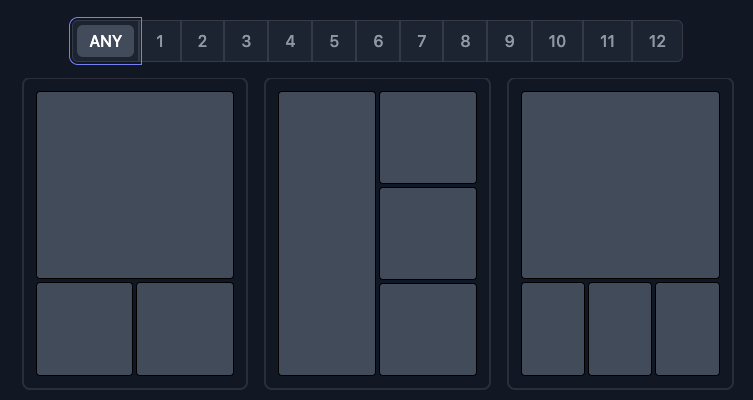
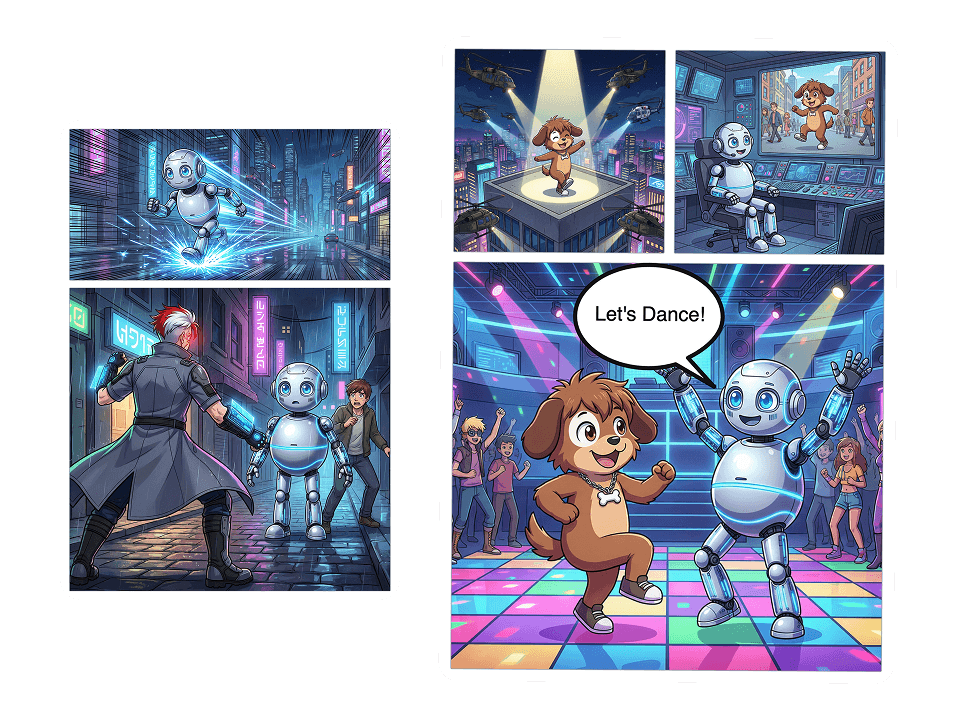
Choose from dozens of panel strip templates — 1 to 12 panels per page — or build a custom grid. Drag pages to reorder. Set aspect ratios per panel. Every page is A4-sized and publication-ready from the start.
- —Dozens of panel strip templates — 1 to 12 panels per page
- —Multiple aspect ratios per panel: 1:1, 16:9, 9:16, cinematic, portrait, and more
- —Drag-to-reorder pages with visual thumbnail strip
- —A4-sized canvas — publication-ready from the start
- —Customizable page backgrounds
- —Pan and zoom canvas at any scale
06 — Speech Bubbles & Text
Give your characters
a voice.
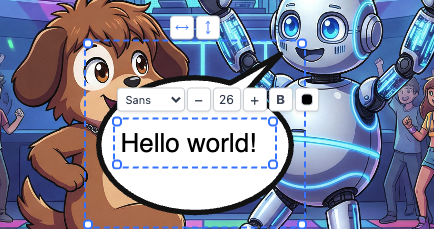
Click to place speech bubbles anywhere on the page. Drag, resize, rotate, and flip them into exactly the right position. Choose from speech, thought, shout, and narrator styles — each one matched to your art style.
- —Click-to-place cursor mode for precise bubble positioning
- —Speech, thought, shout, and narrator bubble variants
- —Style-matched bubbles that fit your art style
- —Drag, resize, rotate, and flip any bubble
- —Free-form text boxes anywhere on the page
- —Double-click to edit text directly on the canvas
07 — Props System
Consistent world.
Not just characters.
Characters aren't the only things that need to look the same. Create reusable props — vehicles, weapons, furniture, objects — from text descriptions or reference images. AI generates multi-angle prop sheets that keep your world consistent across every scene.
- —Create props from text descriptions or reference images
- —AI generates multi-angle prop sheets (front, side, ¾, close-up)
- —Props stay visually consistent across every scene they appear in
- —Attach props to scenes for automatic consistency matching
- —Edit and regenerate prop sheets at any time
08 — Art Styles
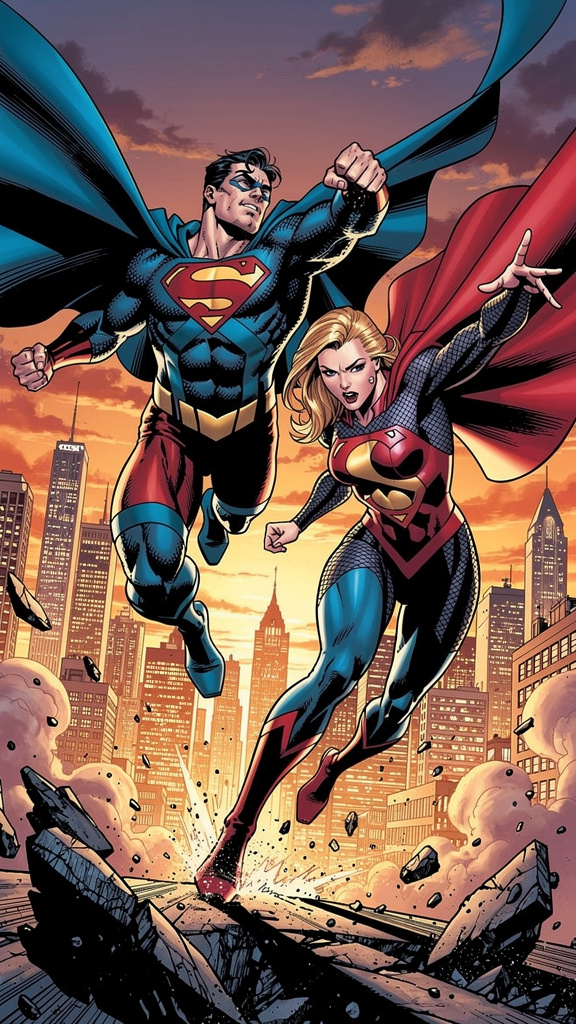
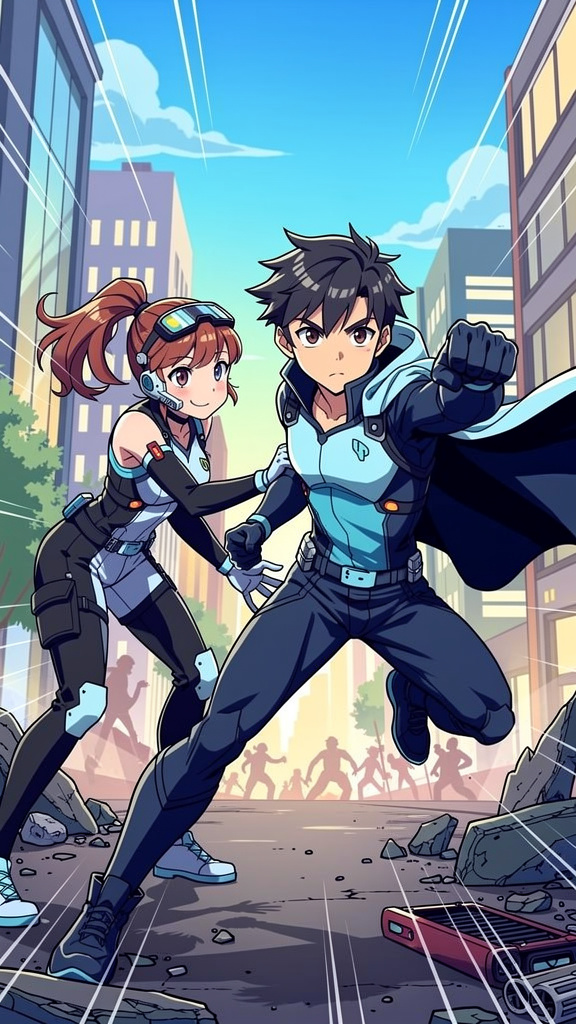
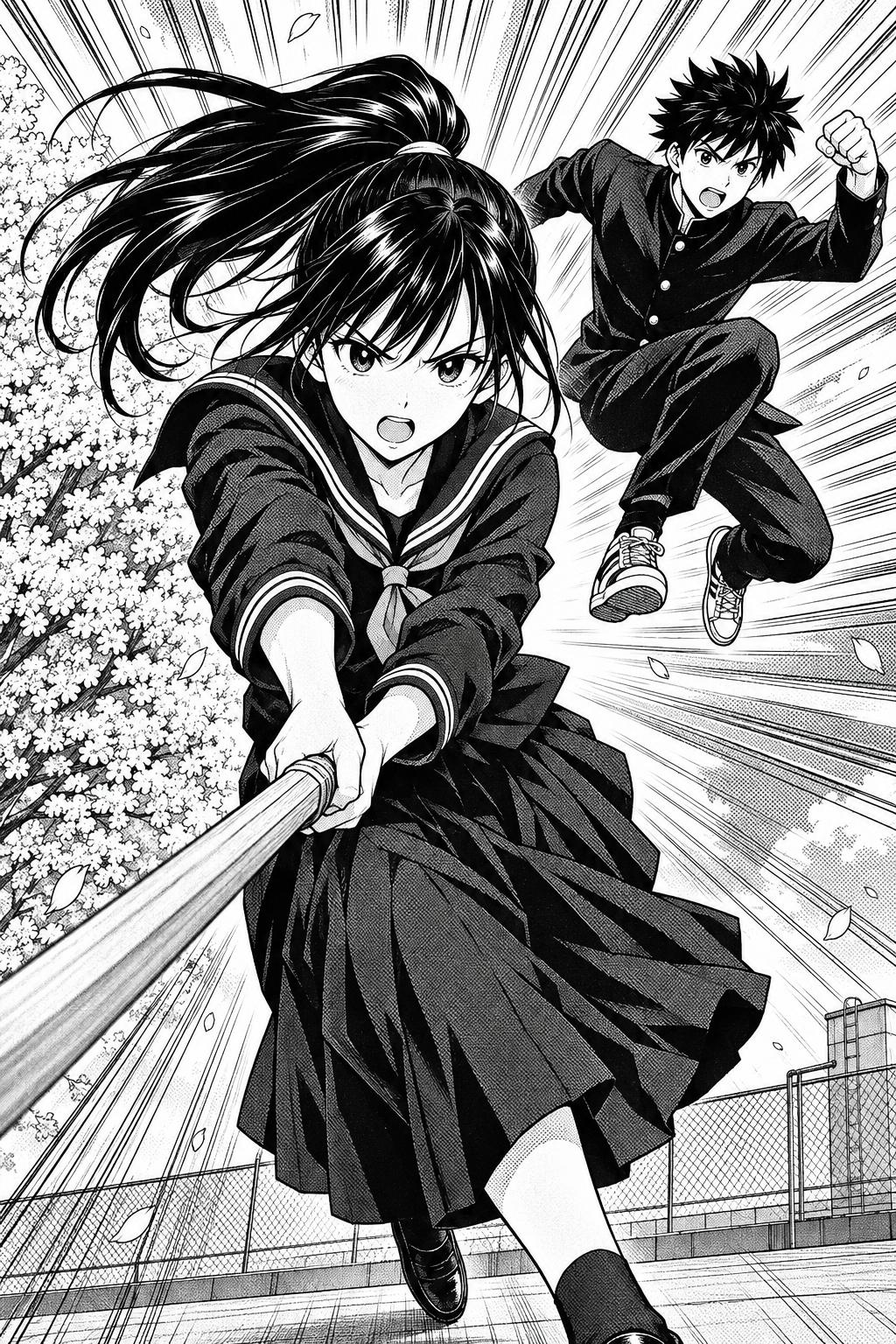
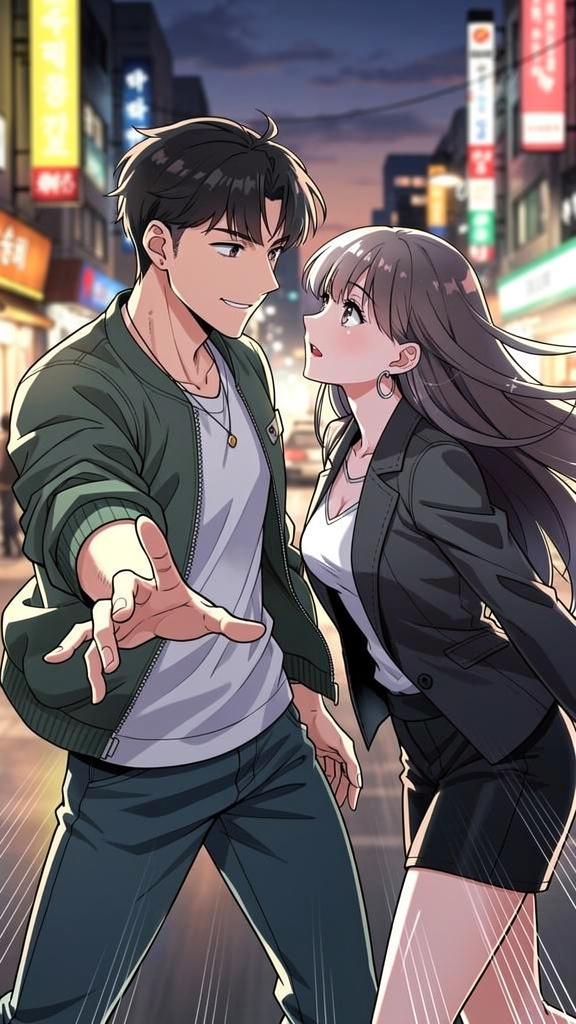
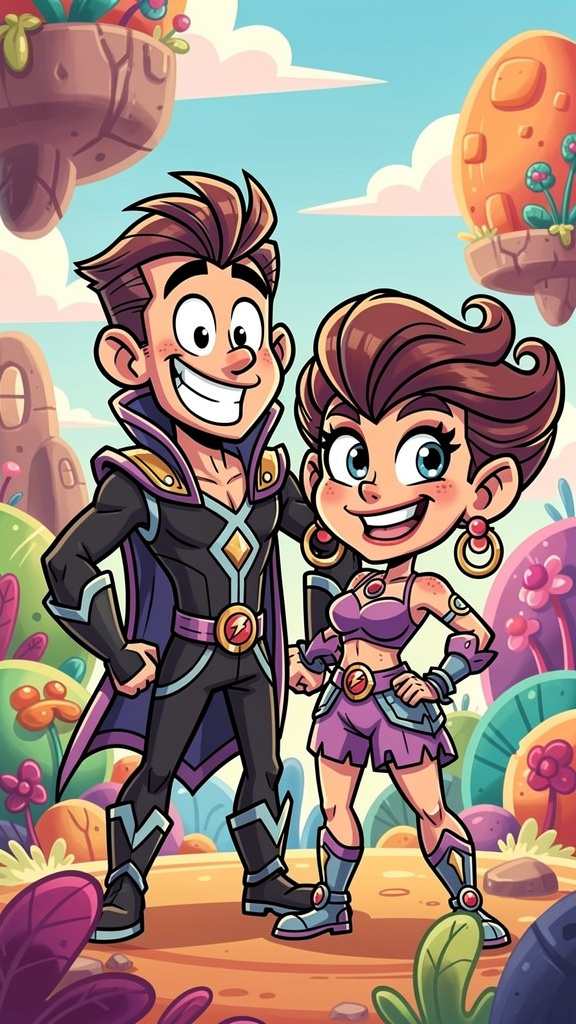
20 styles.
One consistent world.
Every style is applied consistently to characters, scenes, and covers. Pick the visual language that fits your story — then switch at any time.
Browse all styles →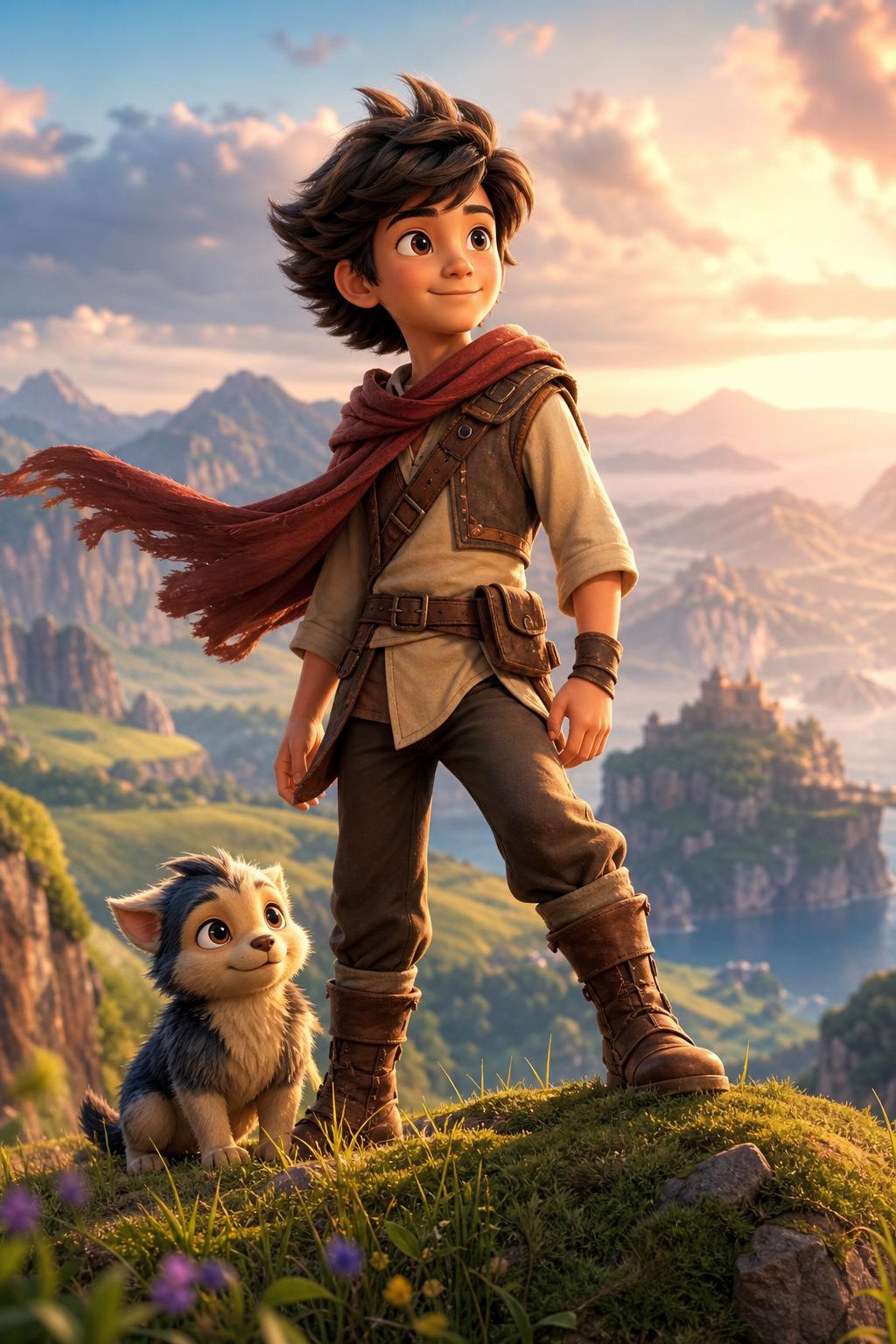
09 — Publishing & Sharing
One click
to the world.
Hit publish and your graphic novel goes live instantly. Share a clean link with readers, embed it anywhere, or export every page as high-resolution images for print or social media. Track how many people are reading it in real time.
- —One-click publish — your story goes live instantly
- —Auto-generated cover thumbnail for every published story
- —Toggle sharing on/off without unpublishing
- —Impressions and share count tracking
- —Export all pages as high-resolution images
- —PDF export — A4 with all panels, bubbles, and text
Public Story Link
Shareable URL — readers view on any device, no account needed
PDF Export
A4 pages — all panels, bubbles, and text overlays included
PNG Export
High-resolution pages — perfect for print or sharing online
JPG Export
Compressed pages — optimized for social media posting
Everything included
The complete toolkit.
Story & Pages
- — Multi-page graphic novel format
- — Dozens of panel strip templates
- — Drag-to-reorder pages
- — A4 canvas, publication-ready
- — Custom page backgrounds
- — Pan & zoom editor canvas
Characters
- — Text-based character creation
- — Photo-to-character upload
- — AI 3-view character sheets
- — Consistency across all panels
- — Multiple characters per story
- — Edit & regenerate at any time
AI Generation
- — Plain English scene input
- — Sketch/draft upload & analysis
- — Dialogue auto-extraction
- — Scene validation before gen
- — One-click regeneration
- — Async processing
Props
- — Text or image-based creation
- — Multi-angle prop sheets
- — Scene attachment for consistency
- — Edit & regenerate sheets
- — Reuse across all scenes
Text & Bubbles
- — Click-to-place speech bubbles
- — Speech, thought, shout, narrator
- — Drag, resize, rotate, flip
- — Style-matched bubble variants
- — Free-form text boxes
- — Direct canvas text editing
Publishing
- — One-click publish
- — Public shareable link
- — Cover thumbnail auto-generation
- — Impressions & share tracking
- — PDF, PNG, JPG export
- — Unpublish at any time
Ready?
Your story.
Your characters.
Any style.
Instantly.
No drawing skills. No illustrator budget. Credit packs from $6.
No subscription — credit packs from $6