AI Comic Creator
You're the author. The AI is your artist.
YarnSaga is an AI comic creator built around one idea: you should be able to tell any story visually, without drawing ability. You write the characters and the scenes. The AI creates the artwork. The story is entirely yours.
- You control the story — AI handles the illustration
- Characters you create stay consistent through the entire comic
- From a 4-panel strip to a 50-page graphic novel
Made with YarnSaga
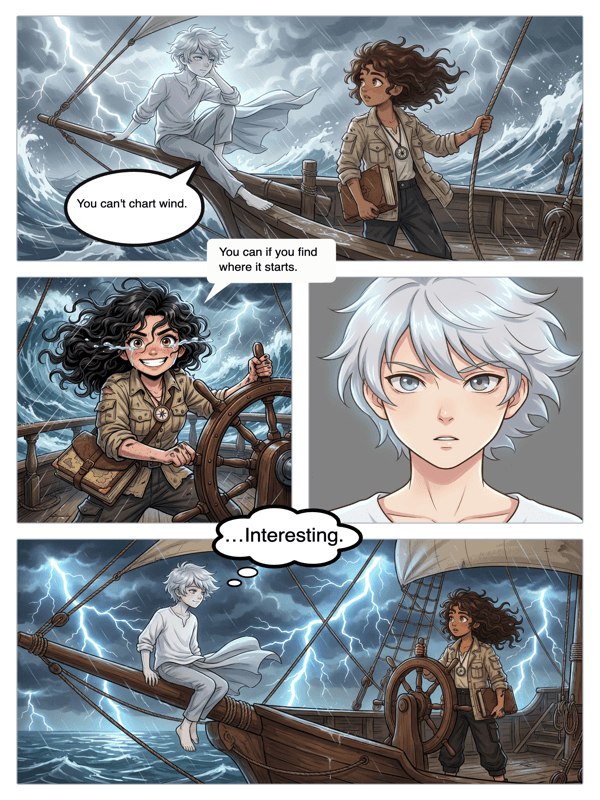
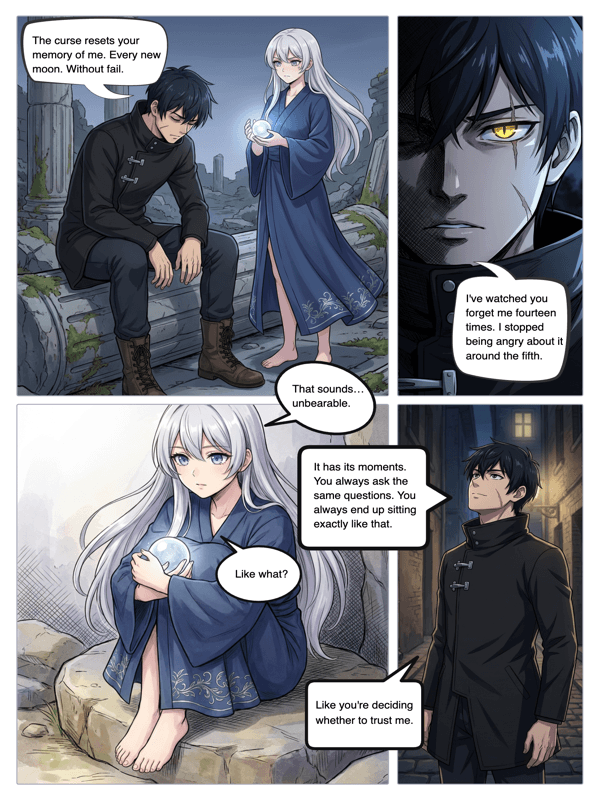
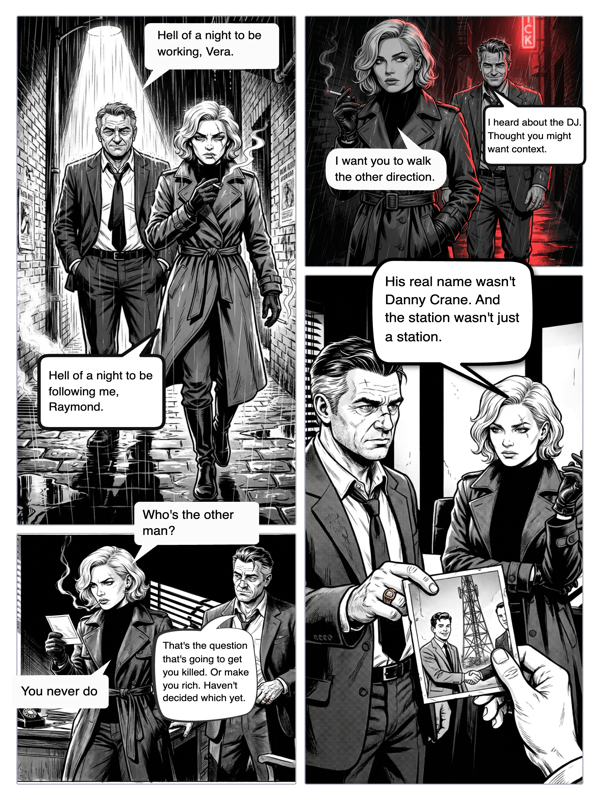
Real output from YarnSaga — characters stay consistent across every panel
How it works
Create your characters
Every comic starts with characters. Describe who they are visually — or upload a photo. The AI comic creator uses this to generate them consistently in every panel.
Write what happens, panel by panel
For each panel, describe the scene as a writer would: who is there, what are they doing, what does the space look like, what is the mood. The AI translates your words into illustrated panels.
Edit, refine, and publish
Review each panel. If one doesn't match your vision, rewrite the description and regenerate just that panel. When the comic is right, publish it and share with your readers.
What you get
Author-first workflow
YarnSaga is designed so the story comes first. You write; the AI illustrates. Not the other way around — you're never generating random images and trying to retrofit a story onto them.
Character identity lock
Your characters have visual identities that the AI respects. Describe a character once; they appear with that identity in every panel they're in — across your entire comic.
Scene-to-panel translation
Write scenes in natural language — plain English, no special prompt syntax. The AI interprets your description and generates a panel that matches.
Iterative panel refinement
Not happy with a panel? Rewrite the description and regenerate. Iterate until the visual matches your mental image of the scene.
Dialogue integration
Add speech bubbles and captions directly onto your panels. Your characters speak in your comic, not just act in it.
Full story publishing
Publish your complete comic with a shareable link. Readers experience it as a real comic — page by page, panel by panel.
Who uses this
Fiction writers entering visual storytelling
You've been writing stories in prose. Comics are a different medium — but your storytelling instincts translate directly. YarnSaga bridges the gap.
Game masters and tabletop RPG players
Visualize your campaign's key moments, NPCs, and locations as comic panels. Share them with your players between sessions.
Creative writing students
Explore visual narrative as a creative form. Build comics from your story concepts and see how visual pacing differs from prose pacing.
Common questions
Do I need to know how to write prompts for AI?
No. YarnSaga is designed for writers and storytellers, not AI prompt engineers. You write scene descriptions in plain language and the system handles the technical side of generation.
Can I create original characters or do I have to use templates?
All characters in YarnSaga are original and created by you. There are no pre-made character templates. You describe your character from scratch — name, appearance, personality — and the AI brings them to life.
What if my scene description doesn't generate the right panel?
Add more specific detail to your description. Include the angle (close-up vs wide), the character's expression, the lighting, and the key visual element you want the panel to focus on. Specificity is the most reliable lever.
Can I make comics based on my existing novel or story?
Yes. Many YarnSaga users adapt their existing prose stories into comics. Break your scenes into panel-sized beats, describe each one, and generate the art. It's an effective way to create a graphic novel adaptation.
Is there a story word count limit for scene descriptions?
Scene descriptions work best at 2–5 sentences. Long descriptions are fine but very long ones may dilute focus. The AI prioritizes the most visually specific elements in your description.
Ready to make your comic?
Credit packs from $6, no subscription. No drawing skills needed. Your characters stay consistent — automatically.
Start creating