Comic Book Generator
Generate a complete comic book — characters, panels, pages, published
Most AI tools generate a single image. YarnSaga generates a comic book. Describe your characters once, choose your art style, write your scenes — and the AI generates panel after panel with the same characters, same visual style, same world. The result is a real comic book: multi-page, illustrated, with speech bubbles and a shareable published link.
- Full comic book structure — characters, pages, panels, dialogue, cover
- Characters stay identical across every panel of every page
- 21 purpose-built comic art styles from manga to noir to superhero
Made with YarnSaga
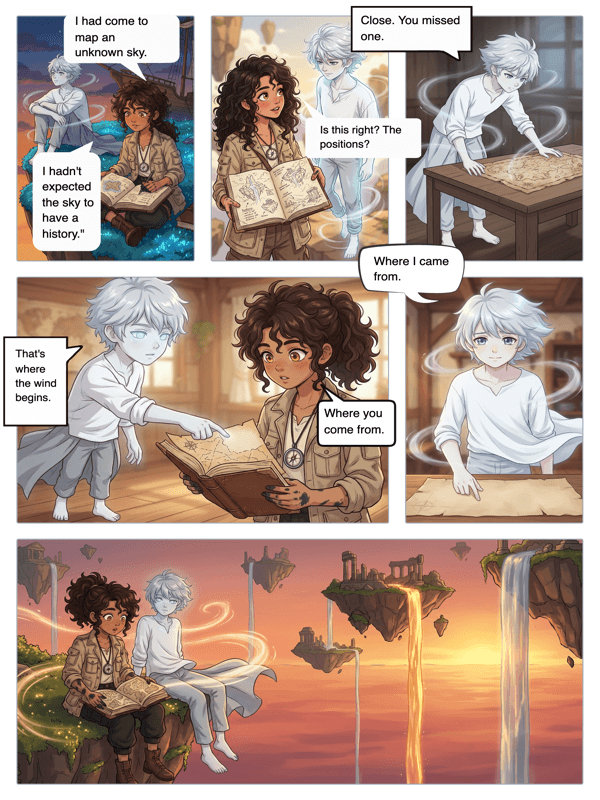
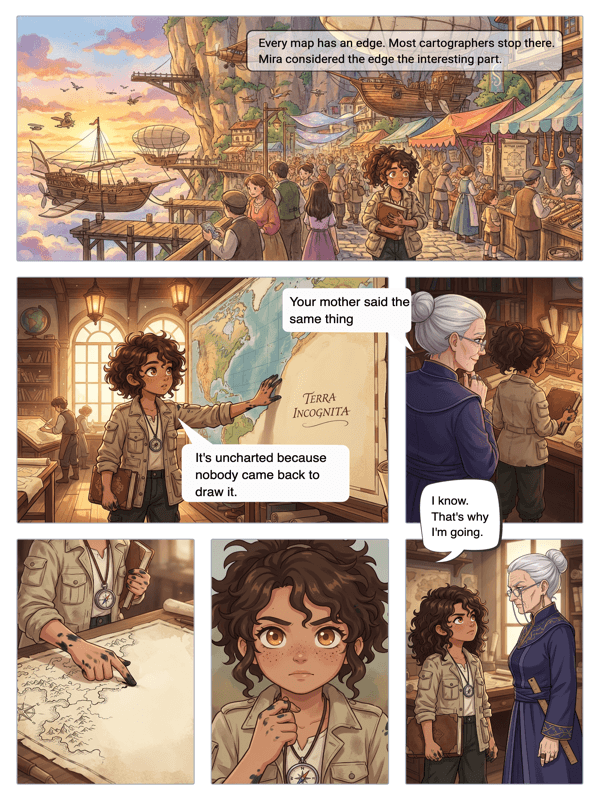
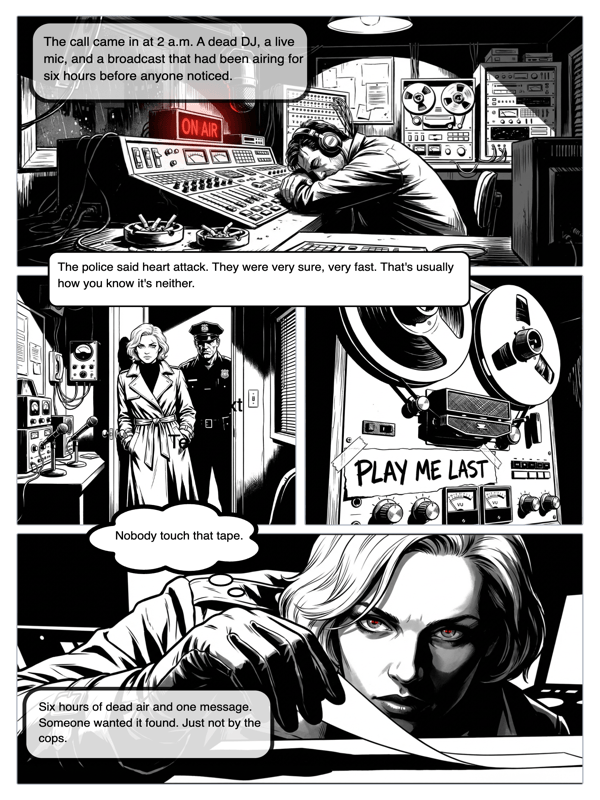
Real output from YarnSaga — characters stay consistent across every panel
How it works
Design your characters
Describe each character — their look, their costume, their defining features. The AI generates a reference sheet for each one. These references are used in every panel you generate, so your characters never drift between pages.
Build your pages panel by panel
Pick a page layout — 1 panel, 4 panels, 6 panels, whatever the scene needs. Write a scene description for each panel: who is there, what is happening, what angle, what mood. The AI generates each panel in your chosen art style.
Add dialogue, cover, and publish
Place speech bubbles on each panel. Add your dialogue. Design a cover. When your comic book is complete, publish it — you get a shareable link readers can open in any browser.
What you get
Complete comic book in one tool
Characters, pages, panels, speech bubbles, cover, and publishing — all in one place. No exporting between tools, no manual compositing, no separate lettering software.
Consistent characters across the entire book
Define a character once. They appear the same way on page 1 and page 40. Hair, face, costume, build — all locked in through the character reference system.
21 authentic comic art styles
Superhero, manga, noir, Spider-Verse, Studio Ghibli, horror, retro comic, and more. Every style is purpose-built for sequential panel art — not generic AI illustration.
Flexible page layouts
Choose from a library of panel grid templates. Single full-page splash panels. Classic 6-panel grids. Asymmetric layouts for dramatic pacing. Pick the layout that fits the moment.
AI scene generation from plain English
No prompt engineering. Write what happens in plain English: "Two detectives argue outside a rain-soaked warehouse at night." The AI handles composition, lighting, and style.
Publish and share instantly
When your comic book is done, publish it. You get a clean public URL. Share it anywhere — social media, Discord, newsletter, email. Readers see the full illustrated book.
Who uses this
Writers who want to see their story illustrated
You have a story. You have characters. You just need an artist. YarnSaga generates the art — one panel at a time, consistent across the whole book.
Comic fans making their first book
You've read thousands of comics. Now make one. No drawing required — just your story idea, your characters, and your vision for how each scene should look.
Creators building a series
Characters persist across stories. Build issue 1, then issue 2. Your protagonist looks the same in every issue because the reference sheet never changes.
Common questions
How many pages can a comic book have?
There is no hard page limit. Add as many pages as your story needs. Each page can have 1–12 panels depending on the layout you choose.
Can I make a superhero comic book?
Yes. YarnSaga has a dedicated Superhero Classic art style built for the genre — bold line work, dynamic poses, primary color palettes. Describe your hero once and they appear consistently across every panel.
How does character consistency work across a long comic book?
When you create a character, YarnSaga generates a visual reference sheet — front, side, and back views. That reference is used in every panel the character appears in. It doesn't matter if they're in panel 2 or panel 200.
Can I add a cover to my comic book?
Yes. YarnSaga includes a cover editor where you can generate a cover image, add the title, and style it. The cover is included when you publish and share your comic.
Can multiple people work on the same comic book?
Currently YarnSaga is a single-user tool per story. Collaboration features are on the roadmap.
Ready to make your comic?
Credit packs from $6, no subscription. No drawing skills needed. Your characters stay consistent — automatically.
Start creating