Graphic Novel Maker
Make your graphic novel — the AI handles the art
YarnSaga gives you everything you need to make a complete graphic novel: a character system that keeps faces consistent, a page-and-panel editor, AI art generation, and a publish flow that puts your finished book online. You write the story. The AI makes the art.
- Every character looks identical on every page you make
- Panel layouts from 2-panel strips to 6-panel grids
- 19 styles: manga, cinematic, watercolor, illustrated, and more
Made with YarnSaga
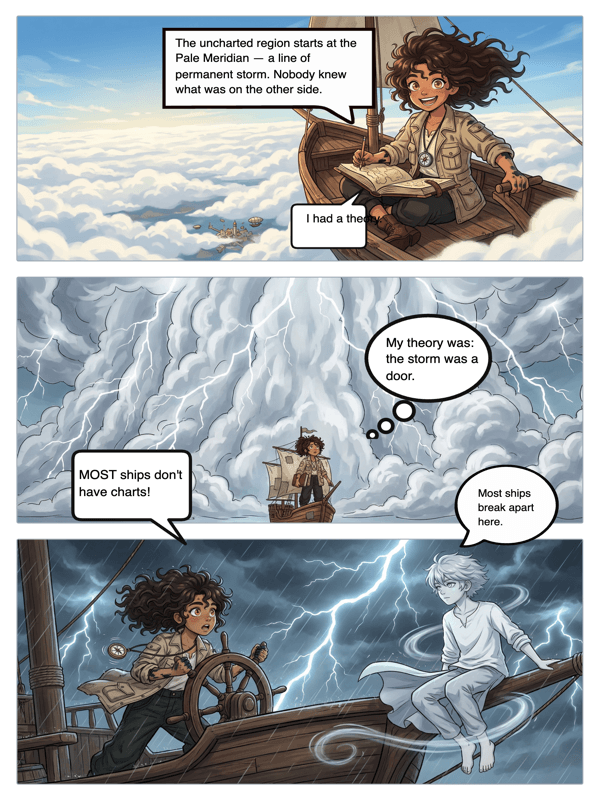
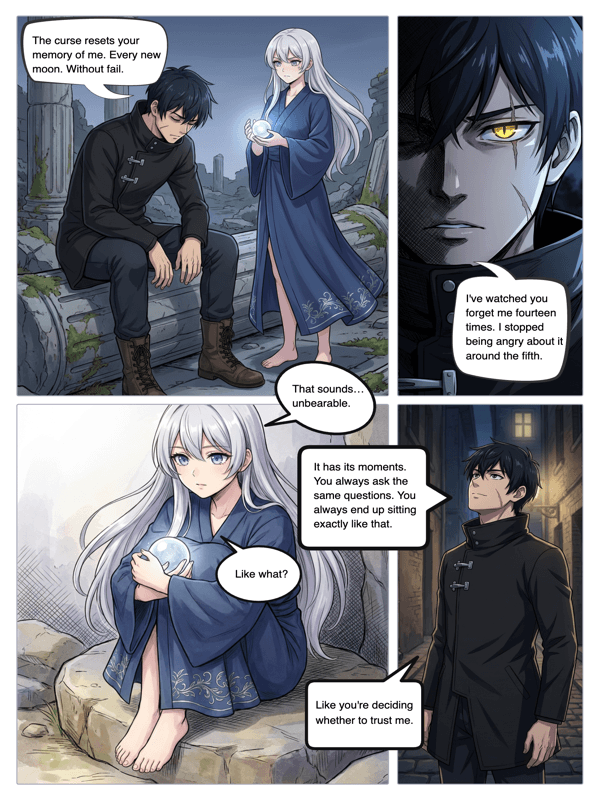
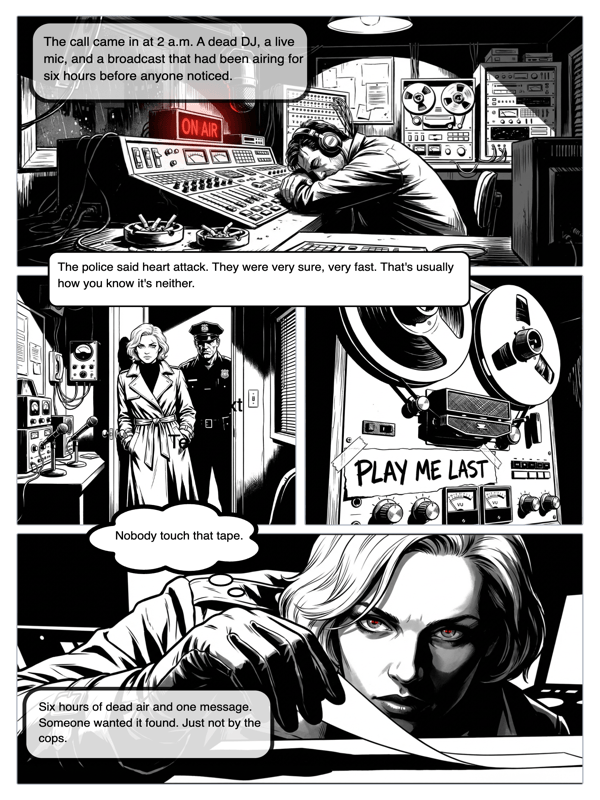
Real output from YarnSaga — characters stay consistent across every panel
How it works
Create your characters
Describe how each character looks — or upload a photo. YarnSaga builds a visual profile for each one. Every panel they appear in draws from that profile, keeping them recognizably the same character.
Make each page panel by panel
Set up your page layout and write what happens in each panel. The AI generates illustrated artwork for every panel: your characters, your scene descriptions, your chosen art style.
Add text, publish, share
Place speech bubbles and captions. Design a cover. When your graphic novel is ready to share, publish it with one click and send the link to your readers.
What you get
Page and panel editor
Choose from multiple panel layout templates per page. Mix wide establishing shots with tight close-ups to control your story's visual rhythm.
Character visual profiles
Each character has a saved visual profile. The AI references it on every generation — so the same character made on page 1 is recognizable on page 40.
Multiple art styles
Make your graphic novel in manga, cinematic, illustrated, watercolor, or other styles. One style per project — visual consistency from cover to final page.
Scene description editor
Write your panel descriptions in a clean text editor. The AI reads your description and generates the panel art — more specific descriptions produce more accurate art.
Dialogue and caption tools
Add speech bubbles, thought balloons, and narrative caption boxes directly onto your panels. Fully customizable without leaving the editor.
One-click publishing
Publish your finished graphic novel and get an instant shareable URL. Your readers get a clean, page-turning reading experience.
Who uses this
Writers making their first graphic novel
You know how to tell a story. YarnSaga translates that into visuals. No art school, no illustration software, no budget for a freelance artist.
Worldbuilders and game designers
Make a graphic novel set in your game universe. Visualize lore, factions, and characters in a serialized format your audience can actually read.
Educators and curriculum designers
A graphic novel format makes curriculum content engaging. Make visual explainers, historical narratives, or science stories that students actually want to read.
Common questions
What panel layout options are there?
YarnSaga includes multiple panel layout templates: 2-panel, 4-panel grids, 6-panel grids, wide single-panel, and mixed layouts. Choose the template that fits what you want to happen on each page.
Can I use different art styles on different pages?
Art style is set at the project level and applies to all pages. This ensures visual consistency throughout your graphic novel. You can create separate projects in different styles.
Can I regenerate a panel I'm not happy with?
Yes. Rewrite the scene description for any panel and regenerate it. Your other panels are not affected — only the one you chose to redo.
How do I make my graphic novel look professional?
Consistency is the key to a professional look. Consistent art style, consistent character appearance, and consistent panel sizing. YarnSaga handles the first two automatically; panel sizing is your choice in the layout editor.
Is there a limit to how many graphic novels I can make?
You can create as many graphic novel projects as you want. The only limit is your AI generation credits. A typical panel costs about 0.3 credits ($1 = ~3 panels), and credits are valid for six months.
Ready to make your comic?
Credit packs from $6, no subscription. No drawing skills needed. Your characters stay consistent — automatically.
Start creating