AI Comic Strip Generator
Generate comic strips from text — consistent characters, every panel
Describe your characters and what happens in each panel — the AI generates the illustrated strip. YarnSaga's AI comic strip generator keeps your characters looking identical across every panel, which is the problem every other AI tool fails to solve.
- Text description → illustrated strip in under 2 minutes
- Character faces stay consistent panel to panel automatically
- Multiple strip layouts: 2-panel, 3-panel, 4-panel, and more
Made with YarnSaga
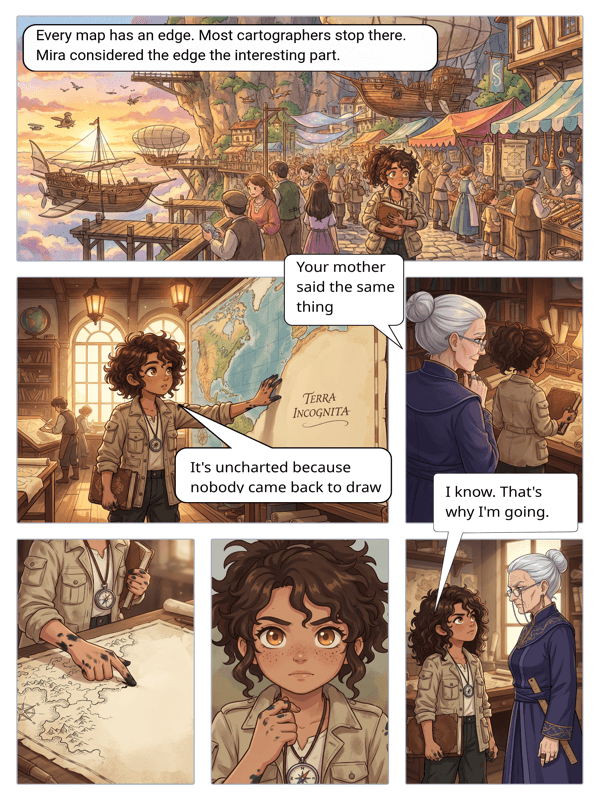
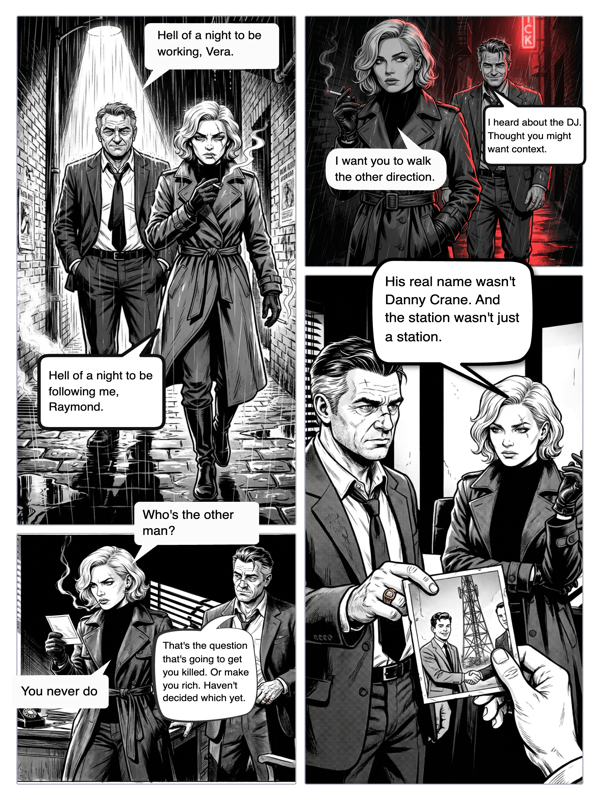
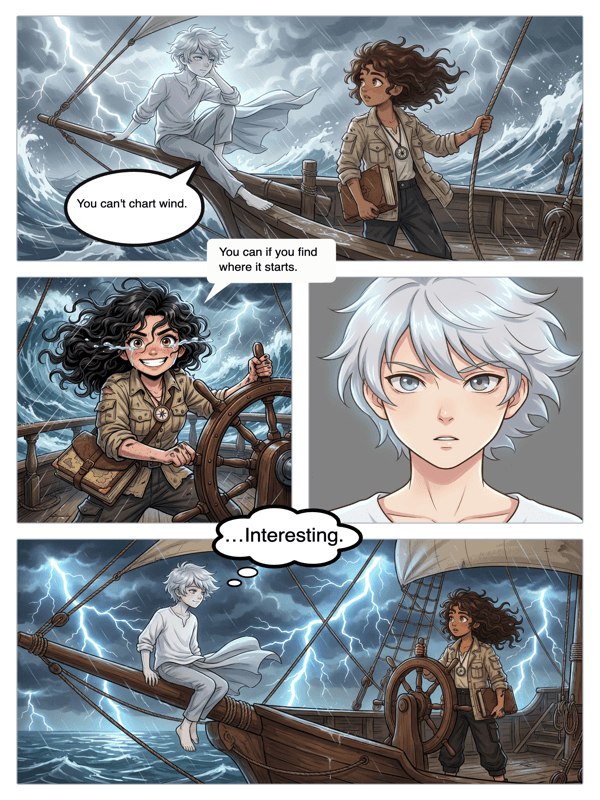
Real output from YarnSaga — characters stay consistent across every panel
How it works
Describe your character
Write out your character's appearance — or upload a reference photo. The generator locks in their look. They'll appear the same way in panel 1 and panel 4.
Set up your strip layout
Choose how many panels you want in your strip and the layout style. A 3-panel strip for a short gag. A 4-panel for a classic structure. More panels for a longer narrative beat.
Write each panel and generate
For each panel, write one or two sentences describing the scene, action, and mood. Click generate. The AI produces each illustrated panel with your characters in frame.
What you get
Fast strip generation
A 4-panel strip with consistent characters generates in under 3 minutes total. Write the descriptions, click generate on each panel, add dialogue, done.
Character anchor system
Your character's visual identity is saved and referenced on every generation. The AI does not start from scratch each panel — it references your character profile.
Multiple strip formats
Generate horizontal strips, vertical strips, or grid layouts. Match the format to the platform: landscape for web, portrait for mobile and social.
Art style selection
Generate your strip in anime, manga, illustrated, cinematic, watercolor, or other styles. One style per strip ensures visual consistency across all panels.
Dialogue overlay
Add speech bubbles to any generated panel. Position them precisely, choose your bubble style, and type your dialogue directly in the editor.
Export and share
Download your completed strip as a high-res image or publish it online with a shareable link. Both options available on all plans.
Who uses this
Social media creators
Comic strips perform well on social. Generate strips consistently without needing an illustrator — or the skill to draw one yourself.
Gag and humor writers
You write the joke. The AI draws the setup and punchline. A 3-panel strip takes 5 minutes from concept to finished image.
Marketing and brand storytelling teams
Generate illustrated explainer strips, product narrative strips, or character-led brand stories. Consistent visual identity across every strip you produce.
Common questions
How many panels can an AI-generated strip have?
YarnSaga supports 2 to 8 panels per page. For longer stories, add multiple pages to extend the strip into a full comic.
How do I get the AI to generate the exact panel I want?
Be specific in your description. Describe the angle (close-up, wide shot), the character's expression or action, the environment, and the lighting. More specific prompts produce more accurate panels.
Can I generate multiple strips with the same character?
Yes. Once you create a character in YarnSaga, they can appear in as many strips and stories as you want. Their visual profile is saved to your account.
Is the AI comic strip generator free to use?
No. YarnSaga has no free plan — generating panels uses credits from a pack you buy once: from $6 (about 20 panels), valid for six months, no subscription.
Can I use AI-generated strips commercially?
Yes. You own the content you create in YarnSaga and can use it commercially. Review the full terms of service for details.
Ready to make your comic?
Credit packs from $6, no subscription. No drawing skills needed. Your characters stay consistent — automatically.
Start creating