Create Comic Strip Online
Here's exactly how to create a comic strip online with AI
Creating a comic strip used to mean learning to draw or hiring an artist. With YarnSaga, the process is: design your character, describe each panel, generate the art. Here's how it works, step by step.
- No drawing ability required at any step
- Characters look the same from panel to panel automatically
- Publish and share in under an hour for your first strip
Made with YarnSaga
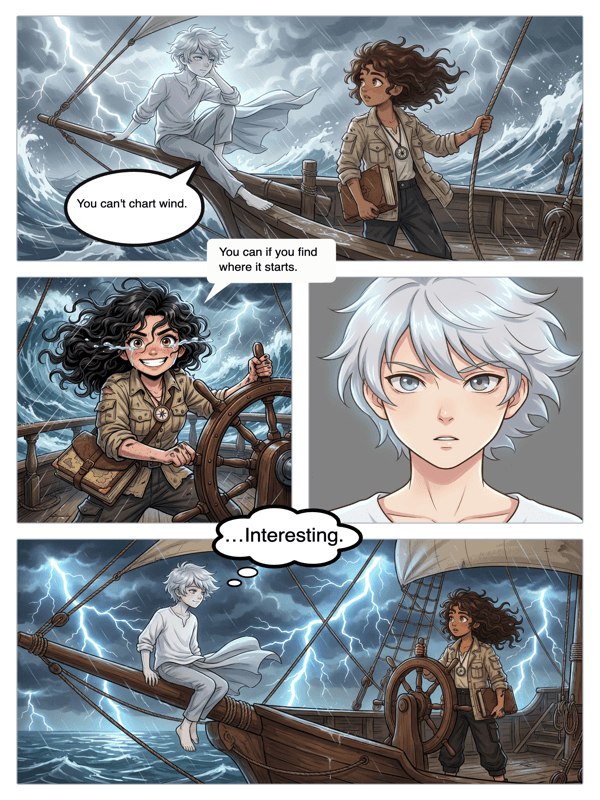
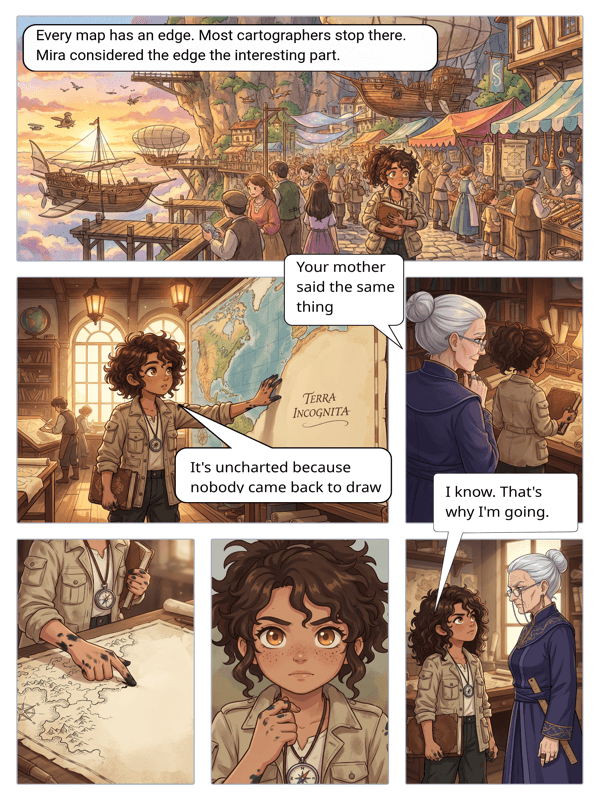
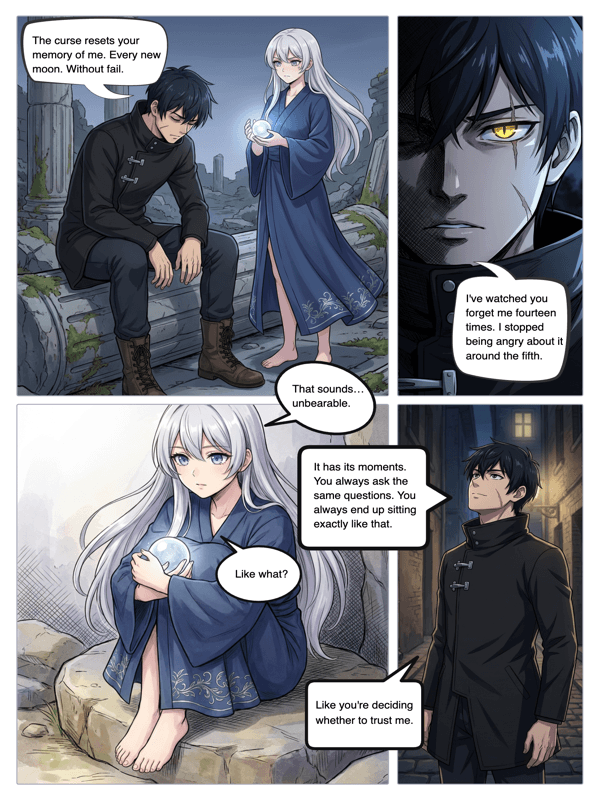
Real output from YarnSaga — characters stay consistent across every panel
How it works
Design your characters
Go to the Character section and create your cast. Describe their appearance — hair, eyes, build, clothing — or upload a reference photo. The more detail you give, the more consistent the AI output.
Set up your strip layout
Create a new story, choose your art style, and set up a page. Decide how many panels you want in your strip. Each panel will show one moment in your scene sequence.
Write and generate each panel
For each panel, write what is happening: who is in the scene, what they're doing, what the environment looks like. Click generate. The AI draws it with your characters in frame.
What you get
Step-by-step workflow
YarnSaga guides you from character creation to publishing in a clear sequence. Nothing is buried or confusing.
Character + scene connection
When you generate a panel, your characters are automatically included based on which ones you've assigned to the scene.
In-panel dialogue
After generating a panel, add speech bubbles directly onto the image. Type the dialogue, position the bubble, and your strip is complete.
Instant publish
When your strip is done, publish it. You get a shareable URL immediately — no export, no file upload, no third-party hosting needed.
Revise any panel
Changed your mind about a scene? Rewrite the description and regenerate that panel only. The others stay as they are.
Learn as you go
The in-app guide walks you through every feature. New to comic creation? You'll figure it out in your first session.
Who uses this
Beginners making their first comic
If you've never made a comic, this is the most straightforward way to do it. Write what happens, get the art, add dialogue, publish.
Teachers building classroom content
Comic strips are powerful for explaining cause and effect, historical events, or literary concepts. Create one in a single class period.
Writers visualizing scenes
Adapt a scene from your novel or script into a comic strip. Useful for pitching, for visual development, or just for seeing your story in a new medium.
Common questions
How long does it take to create a comic strip online?
For a first-timer, expect 30–60 minutes for a 4-panel strip. This includes character setup, scene writing, generation, and dialogue. With practice, the same strip takes 15–20 minutes.
Do I need to know anything about comics before starting?
No prior comics knowledge needed. You do not need to understand panel theory, visual storytelling conventions, or comics terminology. Write what happens; the tool handles the rest.
Can I create a comic strip with multiple characters?
Yes. You can assign multiple characters to a scene. The AI will include them in the panel. You can also have characters appear in some panels and not others.
What if a generated panel doesn't look right?
Rewrite your panel description with more specific details about the scene — lighting, angle, action, character positioning — and regenerate. Specificity consistently produces better output.
Can I make a comic strip from an existing story?
Yes. Many YarnSaga users adapt scenes from novels, scripts, or short stories. You break the scene into panel-sized moments and describe each one. The AI visualizes what you've already written.
Ready to make your comic?
Credit packs from $6, no subscription. No drawing skills needed. Your characters stay consistent — automatically.
Start creating