Graphic Novel Generator
Turn your story into a graphic novel — AI generates every panel
A graphic novel is a novel with pictures. YarnSaga is the tool that adds the pictures. Write your scenes in plain English, define your characters once, and the AI generates panel-by-panel illustrations in the cinematic, manga, noir, or any of 19 art styles. The result isn't a collection of random AI images — it's a coherent graphic novel with the same characters on every page.
- Characters look identical across every chapter and page — no drift
- Cinematic, manga, noir, Studio Ghibli — art styles built for long-form storytelling
- Full graphic novel structure: chapters, pages, panels, dialogue, cover
Made with YarnSaga
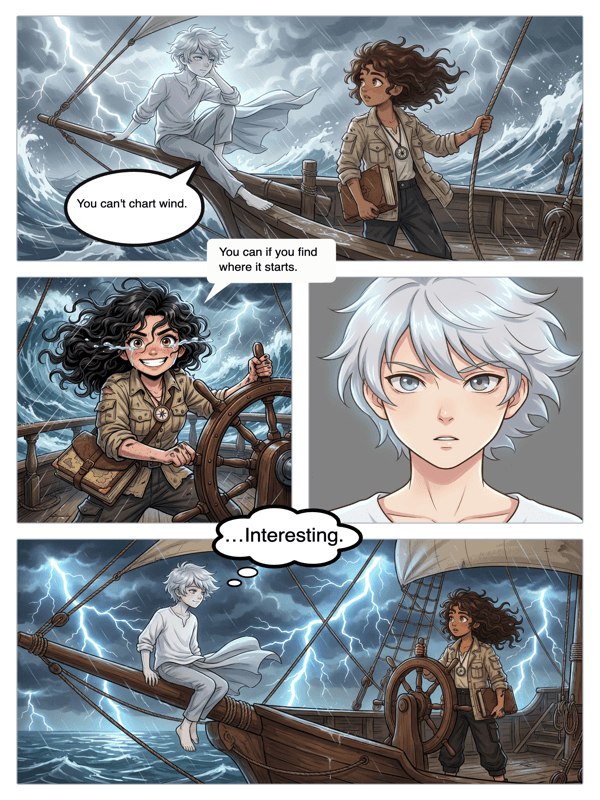
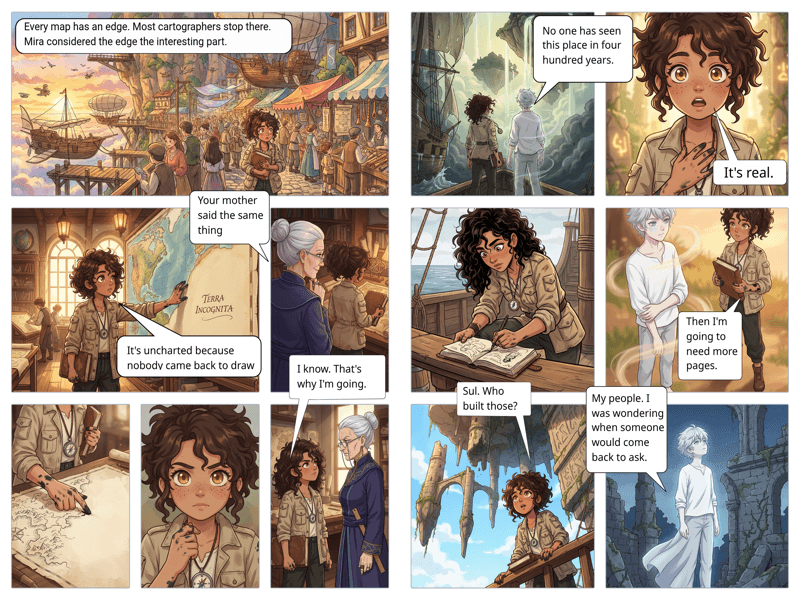
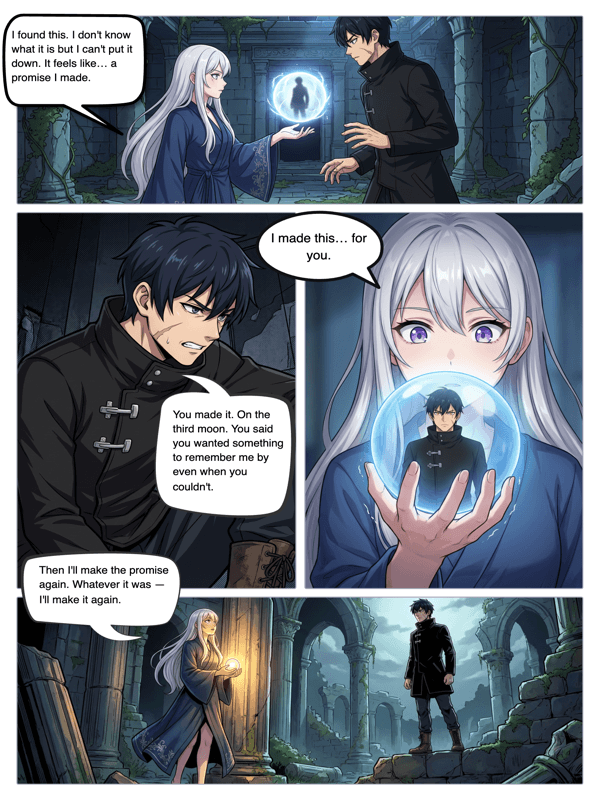
Real output from YarnSaga — characters stay consistent across every panel
How it works
Build your character roster
Describe each character in your story. Appearance, outfit, personality. The AI generates a triple-view reference sheet for each one — front, side, back. These are the visual anchors your graphic novel is built on.
Generate scenes chapter by chapter
Write each panel like a scene direction: what's happening, who's in the shot, what angle, what mood. The AI generates illustrations that match your descriptions while keeping your characters visually consistent.
Add dialogue and publish your novel
Place speech bubbles, add narration boxes, and write the dialogue. When the chapter is complete, publish it. Readers get a clean public link to the full illustrated novel.
What you get
Built for long-form stories
Graphic novels need the same characters across 100+ panels. YarnSaga's character reference system ensures visual consistency whether you're on panel 5 or panel 500. This is the feature every other AI tool lacks.
Cinematic art styles for serious storytelling
Modern Cinematic, Arcane/Cinematic, Noir/Sin City, Studio Ghibli, Franco-Belgian — styles built for narratives that take themselves seriously. Not cute and cartoon, but dramatic and immersive.
Chapter and page organization
Organize your graphic novel into chapters with multiple pages each. The structure mirrors how real graphic novels are produced — story → chapter → page → panel.
Props and recurring objects
Define recurring objects — a specific weapon, a vehicle, an artifact — the same way you define characters. Props get reference sheets and appear consistently across panels.
Narration boxes for prose passages
Graphic novels often blend illustrated panels with prose narration. YarnSaga's narration box overlay lets you add caption text directly on panels — the way Art Spiegelman, Alan Moore, and Neil Gaiman's illustrators do it.
Photo-to-character for real people
If your graphic novel is based on real people — a memoir, a biographical story — upload photos and the AI generates character sheets in your chosen art style. The person becomes a consistent illustrated character.
Who uses this
Fiction writers adapting their novels
You spent years writing the novel. Now adapt it. YarnSaga lets you illustrate key scenes, turning your prose into a graphic novel chapter by chapter — without hiring an artist.
Storytellers who think visually
Some stories are written to be seen. If you've always imagined your characters in panels — the lighting, the angles, the expressions — YarnSaga is the tool that finally gets it out of your head.
Indie creators building a series
Publish your graphic novel online, episode by episode. Build an audience. Characters persist across issues — your readers follow the same faces from the first page to the last.
Common questions
What makes this a "graphic novel generator" rather than just an AI image tool?
A graphic novel generator creates a structured, multi-page narrative with consistent characters — not a collection of random AI images. YarnSaga's character reference system, page layout library, dialogue tools, and publishing feature make it a complete graphic novel production tool, not just an image generator.
Can I generate a graphic novel based on a book I already wrote?
Yes. Take scenes from your existing prose, adapt them into panel descriptions, and generate the illustrations. Many writers use YarnSaga to create a visual edition of a story they've already written.
Which art style works best for graphic novels?
It depends on your genre. Modern Cinematic works for contemporary drama and thriller. Arcane/Cinematic for dark fantasy. Noir/Sin City for crime stories. Studio Ghibli for lyrical, emotional narratives. Franco-Belgian for literary graphic novels in the European tradition.
How many characters can a graphic novel have?
There is no character limit. Add as many characters as your story needs. Each gets their own reference sheet. You can include multiple characters in a single panel by referencing them in the scene description.
Can I export my graphic novel as a PDF?
PDF export is on the YarnSaga roadmap. Currently, finished graphic novels are published as a public URL that readers can view in any browser, and individual pages can be exported as images.
Ready to make your comic?
Credit packs from $6, no subscription. No drawing skills needed. Your characters stay consistent — automatically.
Start creating