How to Use an AI Graphic Novel Generator — And What to Actually Look For
May 2, 2026 · 10 min read
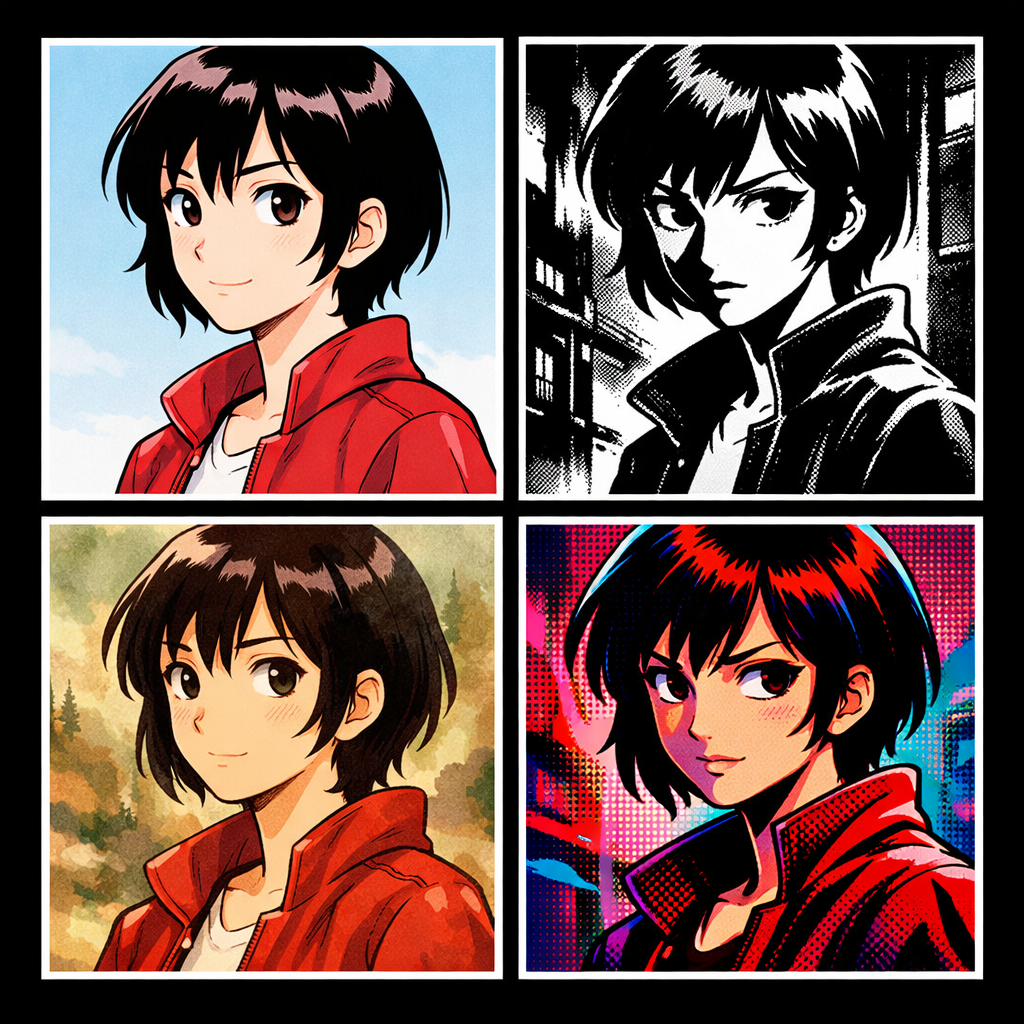
Most AI image generators are built for single images. You describe a scene, you get an image. Done. But a graphic novel isn't a single image — it's 50 to 300 pages of illustrated narrative where the same characters appear on every page, in every scene, recognizably themselves. That's a completely different problem, and it's why most AI tools fall apart when you try to use them for long-form visual storytelling.
AI graphic novel generators are a newer category specifically designed for this challenge. This guide covers how they work, what to actually look for when choosing one, and how to use them effectively for a complete long-form project.
What Makes an AI Graphic Novel Generator Different from an Image Generator
The core difference is character consistency. An AI image generator treats every generation as independent. An AI graphic novel generator treats your characters as persistent identities that must remain stable across every page you create.
Beyond consistency, a real graphic novel generator needs to handle:
- Multi-page structure: Chapters, pages, and panels organized as a narrative sequence, not just a folder of images
- Panel layout templates: Different compositions for different narrative moments — a quiet dialogue scene uses different panel sizing than an action sequence
- Dialogue and lettering: Speech bubbles placed correctly, with text integrated into the final panel image
- Page-to-page continuity: Visual consistency in backgrounds, lighting, and world details across scenes set in the same location
- Export for publishing: Output in formats suitable for printing, e-book publication, or digital distribution
If the tool you're evaluating doesn't address all of these, it's an image generator with a comic-themed UI — not a graphic novel generator.
The Character Consistency Problem: What to Actually Look For
This is the make-or-break feature. Here's how to evaluate any AI graphic novel generator's character consistency:
Ask: how does the tool anchor a character's appearance?
Weak approaches rely on text descriptions alone: "a tall woman with red hair and green eyes wearing a black leather jacket." This produces characters who match the description but don't look like the same person across panels — face shape varies, hair texture changes, proportions drift.
Strong approaches use visual references: a dedicated character sheet (front, side, back view) that is passed as an image reference to every panel generation. The model is shown what the character looks like, not just told. Visual anchoring produces dramatically more consistent results than text anchoring.
Ask: does consistency degrade over a long story?
Some tools work reasonably well for 5-10 panels but fall apart at 50 or 100. Test with a long sequence before committing to a full novel. The character sheet approach maintains consistency across hundreds of panels because the reference is explicit, not inferred from cumulative context.
Ask: how many characters can appear in the same scene?
A graphic novel typically has multiple characters. If the generator can only maintain consistency for one character at a time, multi-character scenes become a problem. Look for tools that handle full cast consistency, not just the protagonist.
Art Style: The Second Most Important Decision
Your art style sets the tone, audience expectation, and emotional register of the entire novel. Choose before writing a single panel, because the style choice affects everything that follows.
- Manga flat: High-contrast, expressive faces, speed lines, dramatic emotion. Optimal for action, romance, and high-energy coming-of-age stories. Strong existing audience familiarity.
- Webtoon / Manhwa: Softer than manga, vertical scroll-optimized. Excellent for romance, slice-of-life, and serialized web publishing. The dominant format for new creator distribution.
- Superhero classic: Bold outlines, muscular figures, dynamic poses. The vocabulary of American superhero comics. Works for action and adventure beyond just superhero stories.
- Semi-realistic concept art: The closest to traditional illustration. Characters look like people rather than stylized archetypes. Best for serious literary adaptations, historical fiction, or stories where realism serves the narrative.
- Arcane cinematic: Lush, painterly, with strong atmospheric lighting. Excellent for high-fantasy, steampunk, and world-building-heavy stories where the environment itself is a character.
- Noir / Sin City: High contrast black and white with selective color. The grammar of noir crime fiction. Unique and immediately recognizable — sets tone before a single word is read.
Avoid style-switching mid-novel. Readers interpret visual style as part of the storytelling contract — unexpected style changes break immersion. Choose a style that you want to live with for the entire project.
Structure: How to Organize a Graphic Novel Project
Before opening any tool, have these three things defined:
1. The story outline. Not every scene, but the arc. Act 1 (setup, characters, world), Act 2 (conflict and escalation), Act 3 (resolution). Even a loose outline prevents the mid-story confusion that derails most long-form creative AI projects.
2. The full cast. Know your major characters before you start generating. Introducing a new major character in chapter 3 when your visual reference is built around two characters creates inconsistency problems. Define and generate character sheets for everyone who appears significantly in the story before you start panel generation.
3. The world. Key locations that recur throughout the story. A character's apartment. A headquarters. A recurring landscape. Establishing these early as visual anchors — even just one or two key panels — gives your generator context to maintain consistency across scenes set in the same place.
Writing Effective Panel Descriptions
The quality of your panel descriptions determines the quality of the generated images. AI graphic novel generators accept scene descriptions — not literal prompts in the Midjourney/Stable Diffusion style, but natural descriptions of what's happening in the panel.
Effective panel descriptions include:
- Who: Which characters are in the panel. Reference characters by their defined name so the system can pull their visual reference.
- What: The action or state. "Maya sits at the edge of the rooftop, legs dangling, looking at the city below."
- Where: Location and context. "Interior of the abandoned warehouse, late night, single hanging light."
- Mood: The emotional register. Not "sad" as a label but expressed through action: "Rain streaks the window. She doesn't look up."
- Camera angle (optional but useful): "Wide establishing shot." "Close-up on hands." "Low angle looking up." These cues dramatically change the composition and emotional weight.
What to avoid:
- Technical AI prompt syntax ("8k, hyper detailed, masterpiece") — it doesn't help in dedicated comic generators and can produce generic results
- Overcrowded panels — too many characters, actions, and objects competing for attention
- Purely abstract descriptions with no visual anchor ("a moment of profound realization") — translate emotion into visible action
Page Layout and Pacing
Panel layout is not just visual design — it's storytelling. The size and arrangement of panels controls pacing, emphasis, and rhythm. A few principles:
- Large panels slow the reader down — they create emphasis and weight. Use them for key emotional beats, reveals, and climactic moments.
- Small panels speed the reader up — they create rapid action and urgency. Fight sequences, chases, and fast exchanges use small panels.
- Full-page spreads stop time — they're for moments that demand maximum impact. First reveal of the villain. The final battle. An overwhelming landscape.
- Vary the layout — a comic where every page has the same 3-panel or 6-panel grid feels mechanical. Let the story dictate the layout.
Most AI graphic novel generators provide layout templates for this reason. Use them deliberately, not randomly. Think about what each page is doing narratively before choosing its layout.
Dialogue and Lettering in Long-Form Stories
Graphic novel dialogue has different requirements than prose dialogue:
- Keep individual exchanges short — 20-40 words per bubble maximum
- Characters don't speak in complete, grammatically perfect sentences — they speak like real people
- Use visual storytelling to carry what prose would say in words — a look, a gesture, a reaction shot does work that doesn't need dialogue
- Silence is a tool — panels with no dialogue create pause and weight
Long-form stories have more room for dialogue than single-issue comics, but the discipline of compression still applies. The graphic novel format is still primarily visual — dialogue supports the images; it doesn't replace what the images should be showing.
Publishing Your AI Graphic Novel
Once generated, you have several distribution paths:
- Web (free): Webtoon, Tapas, LINE Webtoon — all accept creator submissions. Webtoon vertical format is best suited to webtoon/manhwa style. Traditional page format works better on Tapas and similar platforms.
- Print on demand: Services like Lulu, IngramSpark, and Amazon KDP let you upload pages and sell printed copies without minimum orders. Requires PDF export at print resolution.
- Digital download: Gumroad, Patreon, and direct website sales. PDF or CBZ format. Lower barrier than print.
- Social media serialization: Instagram, X/Twitter, and TikTok all support comic format content. Page-by-page or chapter-by-chapter release builds an audience before a complete collection is ready.
AI graphic novel generators typically export in standard formats (PDF, JPG series, or CBZ). Verify the export options before choosing a tool if you have a specific publishing target in mind — print-ready export requires higher resolution and specific color profile settings that not all tools provide.
Realistic Expectations for Your First Project
The first graphic novel you create with AI will take longer than you expect. Not because the tool is slow — because you're learning the creative workflow simultaneously with the technical one. A few realistic benchmarks:
- Character sheet generation and iteration: 1-2 hours per main character to get to a result you're happy with
- Panel generation: 5-15 minutes per panel including description writing, generation, and any regeneration for panels that miss
- A 40-panel chapter: 3-8 hours of active creative work
- A full 200-panel graphic novel: 15-40 hours total, spread across multiple sessions
These are estimates. Experienced users move faster. Your first project will be on the slower end while you develop instincts for what descriptions produce what results. That knowledge transfers to every subsequent project — your second graphic novel will be noticeably faster than your first.
The goal isn't speed — it's a completed graphic novel that wouldn't have existed otherwise. AI doesn't automate creative vision; it removes the technical bottleneck that previously made that vision impossible without years of illustration training.
Create your first story — no drawing skills needed
Characters stay consistent across every panel, automatically.
Request Early Access →More Articles
Explore YarnSaga