How to Make a Webtoon in 2026 (Step-by-Step, No Drawing Required)
April 21, 2026 · 10 min read
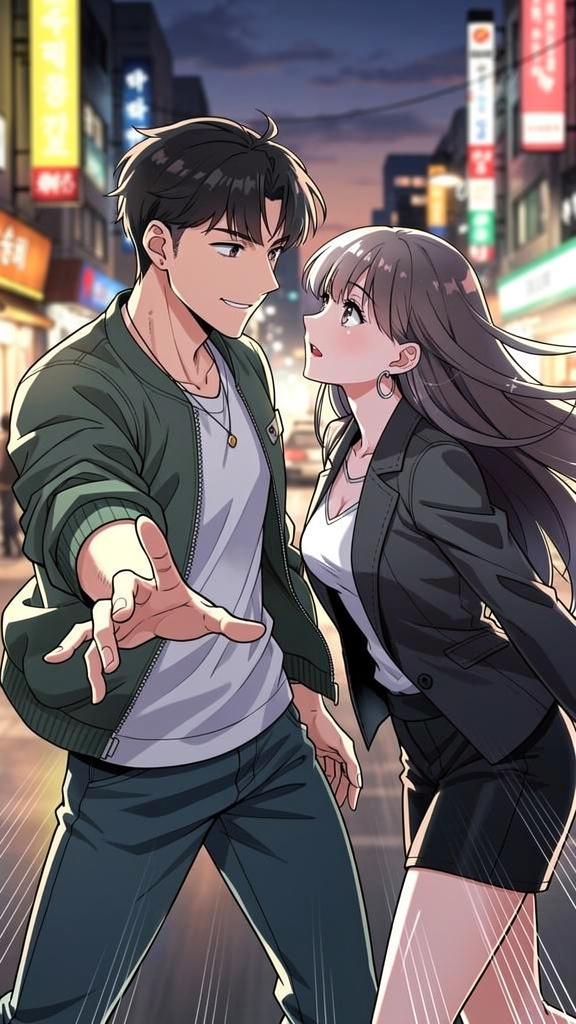
Webtoons have taken over. What started as a Korean web comics format has become the dominant way younger audiences read sequential art — vertical-scroll panels, episode-based structure, published free online. Millions of creators want in. The barrier used to be "you have to be able to draw." That's no longer true.
This guide covers exactly how to make a webtoon in 2026 — from writing your first episode to publishing it — without drawing a single panel by hand.
What Makes a Webtoon Different from a Regular Comic
Before you start making one, it helps to understand what you're actually making. Webtoons differ from traditional comics in a few specific ways:
- Vertical scrolling — webtoons are read top-to-bottom on a phone screen, not left-to-right on a printed page. Panels are tall and narrow, designed for the scroll experience, not a two-page spread.
- Episodes, not issues — webtoons publish in episodes, typically released weekly. Each episode is 30–80 panels. The story builds over dozens of episodes rather than being contained in a single issue.
- Full color is standard — unlike manga which is typically black and white, webtoons are almost always full color. The visual style tends toward bright, clean, cel-shaded illustration.
- Made for mobile — panels are about 800px wide and unlimited in height. No bleed, no gutters, no two-page layouts. Just a long vertical strip.
The most popular webtoon art styles — Korean manhwa, clean anime, and modern digital illustration — are designed to look crisp on a smartphone screen. High contrast, strong line weights, expressive faces.
Step 1: Plan Your Story Before You Touch Any Tool
The most common mistake new webtoon creators make is jumping straight to art before they have a story. You don't need a complete bible, but you need enough structure that episodes don't collapse mid-series.
For your first webtoon, plan at minimum:
- A premise in one sentence — what is the story about? "A disgraced knight discovers she can hear the thoughts of the dragon she's supposed to slay." That's enough to start.
- The main characters — who appears in most episodes? What do they look like? What do they want? Write this down before you generate anything — it becomes your character sheet.
- An episode arc — what happens in episodes 1–5? Give yourself a short-term roadmap. Webtoons that stall do so because the creator ran out of plot in episode 3.
- A hook for episode 1 — the first episode needs to end on something that makes readers click "next episode." A revelation, a threat, a question left unanswered.
Step 2: Design Your Characters First — Not Last
In a webtoon, your characters appear in every episode. Readers need to recognize them instantly — in a crowd scene, in an action panel, in a close-up. That recognition is built on visual consistency, and visual consistency starts before you generate your first story panel.
Create a character sheet for each main character before anything else. A character sheet shows your character from multiple angles — front, three-quarter, side — in your chosen art style. This becomes the visual anchor for every panel across every episode.
When designing webtoon characters, a few things help consistency across dozens of episodes:
- One unmistakable signature feature — something visually extreme that the AI can't silently omit. Heterochromia. Silver hair on a teenager. A facial scar shaped like a crescent. The more distinctive, the more consistently it renders.
- A recognizable silhouette — your main character should be identifiable by outline alone in a crowd scene. Distinctive hair shape, height, or posture helps.
- A consistent base outfit — define the default outfit your character wears. Scene-specific costume changes are fine, but having a "default" prevents the AI from dressing them differently every episode.
Step 3: Choose Your Art Style
For webtoons, you have two strong paths:
- Webtoon / Manhwa style — the native format. Full color, clean lines, expressive but not cartoonish. This is what readers expect when they open a webtoon. It looks right on mobile.
- Manga / Anime style — slightly more Japanese in its aesthetic. Very popular on webtoon platforms, especially for fantasy and romance genres. Works well for emotional close-ups and action sequences.
For darker stories — horror, thriller, dark fantasy — you can push toward more dramatic styles. But whatever you choose, commit to it for the entire series. Style inconsistency across episodes breaks reader immersion faster than plot inconsistency.
Step 4: Structure Each Episode Like a TV Show
The webtoon episode format maps onto TV more than it maps onto traditional comics. Think about it like this:
- Cold open — drop readers into something happening. Don't recap. Don't do slow world-building on page one. Start in a moment.
- Rising action — build the episode's central tension. What is the problem or conflict for this specific episode?
- Climax — the highest-tension panel or sequence. In a webtoon, this should fall about two-thirds of the way through the episode, not at the end.
- Hook ending — the last few panels exist to make the reader click next. A revelation, a cliffhanger, a surprising line of dialogue. Never end an episode with a calm resolution — save those for mid-episode breathing room.
In practical terms: write your episode as a beat sheet first. List each major moment, not each panel. Then figure out how many panels each beat needs. A typical episode of 40–60 panels breaks into roughly 8–12 beats.
Step 5: Generate Your Panels
With your character sheets done and your episode beat sheet written, panel generation is the fastest part of the process.
Write scene descriptions for each panel in plain language. Not prompt-engineered instructions — actual descriptions of what's happening:
- Not: "ultra-detailed dynamic angle dramatic lighting 8K panel"
- Yes: "Kira bursts through the door of a dark tavern, soaking wet, her silver hair plastered to her face — every head in the room turns"
The second description tells a story. It gives the AI a subject, an action, an environment, and an emotional cue. The resulting panel will actually match the beat you're trying to hit.
For webtoon pacing, vary your panel sizes intentionally:
- Wide horizontal panels — for establishing shots, landscape reveals, crowd scenes
- Tall vertical panels — for falling, jumping, dramatic height shots
- Square panels — steady, neutral, good for dialogue exchanges
- Close-up face panels — emotional beats, reactions, intense moments
Step 6: Add Dialogue and Speech Bubbles
Webtoon dialogue has its own rhythm. Because readers are scrolling fast, speech bubbles need to be easy to parse at speed:
- Keep individual lines short — three to eight words per bubble when possible
- Don't put two different characters' dialogue in the same panel if you can avoid it — it forces readers to stop and figure out who's speaking
- Use sound effect text (SFX) generously — webtoons lean into visual onomatopoeia. "CRASH." "THUD." "click." These add energy and pacing
- Caption boxes at the top of panels are for narration or internal monologue — use them sparingly, but they're a powerful tool for establishing time and place
Step 7: Publish and Build a Reader Base
Finishing your first episode is the milestone most aspiring webtoon creators never reach. Once you're there, you have options:
- Webtoon Canvas — the biggest webtoon platform; free to publish, built-in discovery, established reader base. The panel dimension standard is 800px wide, unlimited height, individual panels up to 1MB.
- Tapas — smaller than Webtoon but has a more engaged community for certain genres, particularly romance and BL.
- Your own link — publish directly and share the link on Reddit, Discord servers for your genre, Instagram, and TikTok. Building your own audience before platform submission gives you leverage.
The most important thing: consistency beats perfection. Webtoon audiences follow creators who publish regularly. A good episode every week beats a perfect episode every three months. Set a publishing schedule you can keep and keep it.
The Character Consistency Problem (And How to Solve It)
If you're using a general-purpose AI image generator for your webtoon panels, you will hit the character drift wall. It happens to everyone who tries this approach. Panel one looks perfect. By episode three, your protagonist looks like they've been replaced by a cousin.
The solution is using a tool with an explicit character anchor system — one that stores your character's description and visual references at the system level, not just in your prompt. With this approach, you describe your character once. Every panel you generate for the rest of the series references that locked description. The drift problem disappears.
This is the architectural difference between a general image generator and a tool actually built for sequential storytelling. For a webtoon that runs 50+ episodes with the same characters, that difference is everything.
How YarnSaga Handles the Webtoon Workflow
YarnSaga was built for exactly this use case. You create character sheets before generating panels — the AI produces front, three-quarter, and side views of your character in your chosen art style, and those images become locked references for every scene you generate from that point forward.
The webtoon / manhwa art style is one of YarnSaga's 18 native styles — tuned specifically for the vertical scroll format with the clean lines and full color that webtoon readers expect. You write scene descriptions in plain English, generate panels in seconds, add speech bubbles from a curated library, and publish your episode as a shareable link.
You can also use AI narrative generation — write a brief outline of your episode and have YarnSaga auto-generate scene descriptions for each panel. Useful for moving fast when you know the story beats but don't want to write 40 individual panel descriptions from scratch.
Ready to start your first episode? Create your first webtoon panels on YarnSaga →
No drawing skills. No subscription — credit packs from $6.
Create your first story — no drawing skills needed
Characters stay consistent across every panel, automatically.
Request Early Access →More Articles
Explore YarnSaga