The 7 Best AI Comic Generators in 2026 (Canva, Midjourney, Leonardo & More — Tested)
Updated June 12, 2026 · 11 min read
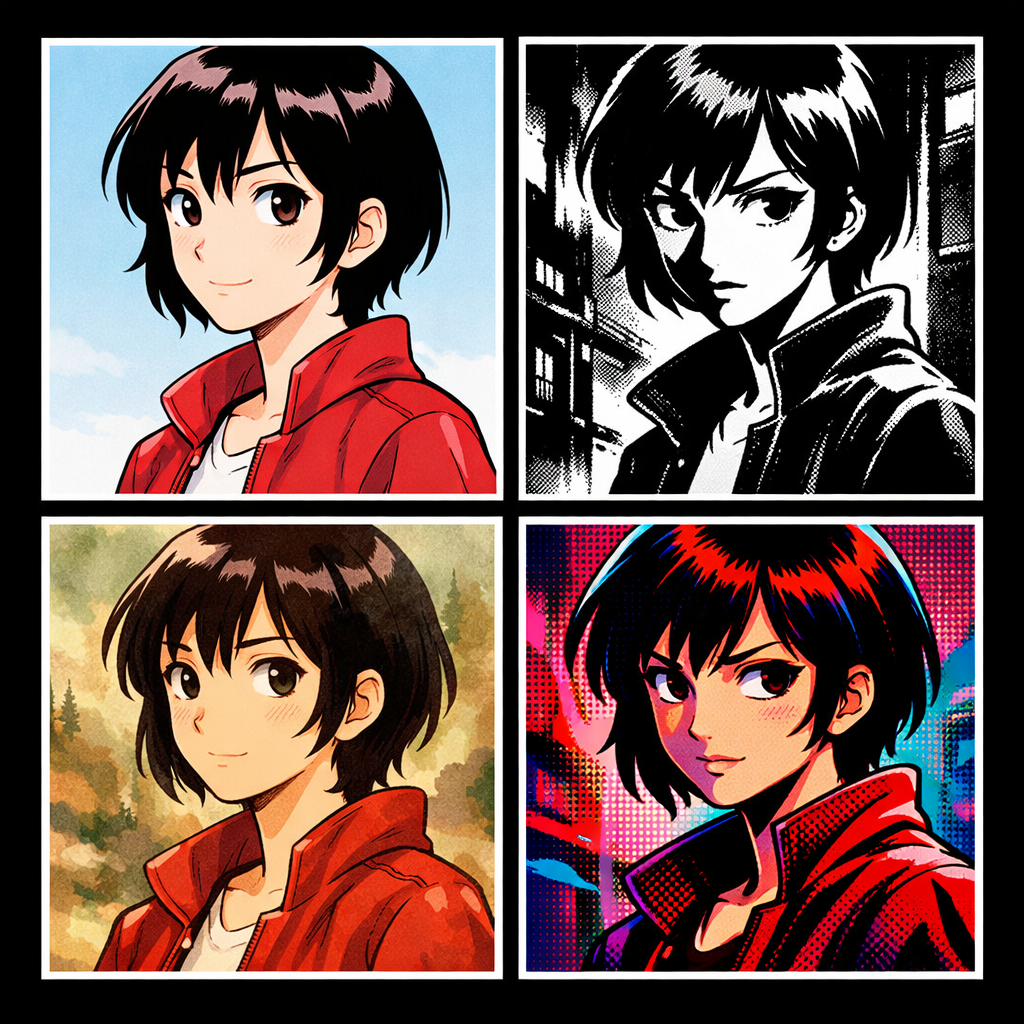
Updated June 2026 — re-tested with the latest versions of each tool.
Short answer: of the seven tools tested, only three keep a character looking the same from panel to panel without manual work — YarnSaga, Pixton, and partially AI Comic Factory. Midjourney, DALL-E 3, Adobe Firefly and Canva AI generate every image from scratch, so faces drift between panels. Midjourney produces the best individual images of any tool here. Pixton has equally reliable characters but one dated art style and an education focus. YarnSaga is the only one of the three built around a full story pipeline — characters, panels, speech bubbles, publishing. Detail, scoring and pricing below.
Every "best AI art generator" listicle will tell you about Midjourney's stunning output, DALL-E's flexibility, and Adobe Firefly's copyright safety. What they don't test is the one thing that actually matters if you're making a comic: can this tool keep your character looking the same in panel 2 as it did in panel 1?
That's the only question that separates an AI image generator from an AI comic generator. And the answer — across most of these tools — is quietly devastating.
I tested 7 tools specifically for sequential comic creation. Here's what I found.
The Only Criteria That Matter for Comics
Before the rankings: most AI tool reviews test image quality in isolation. One prompt, one beautiful image. That's fine for wallpapers. For comics, the relevant tests are different:
- Character consistency — does the same character look the same across 10+ panels?
- Sequential workflow — is the tool built for multi-panel stories or adapted from single-image generation?
- Style coherence — does the visual style stay consistent across scenes, not just the character?
- Comic-specific features — speech bubbles, panel layouts, text overlays?
- Practical output — can you actually publish or share the finished comic?
I tested each tool with the same challenge: create a 10-panel story featuring two recurring characters. Same character descriptions used across all prompts. Here's how they performed.
1. Midjourney — Stunning Images, Zero Story Support
Midjourney produces the most aesthetically impressive outputs of any tool on this list. The lighting, composition, and painterly quality are genuinely beautiful. For a single illustration, nothing beats it at its price point.
For sequential storytelling, it's a disaster.
Midjourney has no character system. Every generation is completely stateless — the model has no memory of what your character looked like in the previous panel. You can paste the same physical description into every prompt and still get noticeably different faces, hair interpretations, and body proportions from panel to panel.
The workarounds — seed locking, reference images via --cref, style references via --sref — require significant technical skill and still degrade as scene context changes. Midjourney added --cref specifically to address this, and it helps. But it's still manual, still inconsistent on anything other than close-up portrait shots, and requires attaching images to every single prompt.
Character consistency: 4/10 — possible with heavy manual effort, unreliable in practice.
Story workflow: 1/10 — no concept of pages, panels, or sequences.
Best for: Single illustrations, cover art, isolated character portraits.
2. DALL-E 3 (via ChatGPT) — Convenient but Inconsistent
DALL-E 3 inside ChatGPT is the most accessible entry point for AI image generation. No Discord, no subscriptions beyond ChatGPT Plus, and the conversational interface feels intuitive.
Character consistency is poor. DALL-E 3 has no reference image input in its standard ChatGPT interface — you describe with text only. Even when the model "remembers" your character within a conversation window, the visual interpretation drifts. Hair shade shifts. Face structure changes. The model also tends to override specific appearance details with its own aesthetic preferences, especially on non-standard features.
There's no panel system, no multi-page concept, and no comic-specific output formatting. For a quick 4-panel gag strip or a rough mockup, it's usable. For anything longer, the inconsistency accumulates fast.
Character consistency: 3/10 — poor without reference images, which the interface doesn't easily support.
Story workflow: 2/10 — conversation flow helps loosely, but nothing is structured.
Best for: Quick experiments, rough concept exploration, short single-use content.
3. Adobe Firefly — Safe but Limited
Adobe Firefly's main selling point is copyright safety — trained on licensed content only. That genuinely matters for commercial creators, and it's the right call for professional use.
The quality is solid but conservative. The tool produces clean, professional-looking images with less of the "wow" factor of Midjourney. For comics specifically, it has the same structural problem: no character persistence system, no panel workflow, and no sequential output format.
The Reference Image feature in the Generative Fill module can help with consistency, but the comic workflow would require external tools for layout and assembly. Character drift across panels is similar to DALL-E — manageable for short sequences, problematic for anything longer.
Character consistency: 4/10 — reference images help, but no native character anchoring.
Story workflow: 2/10 — no comic-native structure; requires Adobe layout tools alongside.
Best for: Commercial illustration work where copyright clearance is essential.
4. Canva AI — Easy But Not a Comic Tool
Canva added AI image generation and Magic Media features that let you generate images and drop them into layouts. It's genuinely useful for social media graphics, presentations, and simple designs.
As a comic tool, it's a workaround, not a solution. You generate images (with the usual consistency problems), manually place them into a multi-page Canva document, and add text on top. The "comic" is assembled by hand from individually generated panels. There's no character system, no scene-to-scene memory, and consistency is entirely your problem to manage.
The layout and text tools are excellent — Canva's core product is strong. The AI generation side is a feature, not a foundation. The finished output looks polished, but getting there requires far more manual work than the marketing suggests.
Character consistency: 2/10 — no native support; fully manual.
Story workflow: 5/10 — excellent layout tools once images exist; weak generation side.
Best for: Creators who already have consistent images and need professional layout tools.
5. Pixton — Built for Comics, Dated Output
Pixton is one of the oldest dedicated comic creation tools and the most intentionally designed for the medium. Characters are built from modular components — you pick body type, hair, clothing, pose — and because they're assembled from parts rather than generated from prompts, they're perfectly consistent by design. Panel 1 Elena looks exactly like panel 50 Elena.
The tradeoff is that Pixton characters look like Pixton characters. The art style is a specific Western-cartoon aesthetic that can't be changed. There's no manga mode, no painterly style, no cinematic look. If the Pixton aesthetic matches your story — great, and the workflow is genuinely excellent. If you want any other visual style, you're out of luck.
Pixton is also primarily designed for educational contexts (Pixton EDU) rather than serious creative publishing. The panel layout tools and publishing options reflect that audience.
Character consistency: 9/10 — perfect consistency by design (vector components).
Story workflow: 7/10 — built for comics; good panel and layout tools.
Best for: Educational use, creators whose style aligns with Pixton's aesthetic.
6. ComicLife 3 — Layout Tool, Not a Generator
ComicLife 3 is a desktop app for assembling comics from photos or pre-existing images. It has excellent panel layout tools, speech bubble styles, caption boxes, and typography options. It doesn't generate images at all — you bring your own.
For creators who already have a source of consistent images (photography, illustration, other AI tools with manual consistency management), ComicLife is genuinely good at the layout step. The output quality is high and the interface is mature and well-designed.
But it doesn't solve the generation problem. You still need to figure out character consistency upstream, then bring the results into ComicLife for final assembly.
Character consistency: N/A — no image generation.
Story workflow: 8/10 — excellent layout and typography; weak without generation.
Best for: Photo comics, creators with existing image assets needing a layout tool.
7. YarnSaga — Built for Sequential Storytelling
YarnSaga was designed around the specific problem every other tool on this list ignores: how do you keep characters consistent when AI has no memory?
The answer is a character system built into the generation pipeline. You define a character once — name, role, physical description. YarnSaga automatically generates a multi-angle character sheet (front, side, three-quarter) and locks those as visual references for every panel you generate afterward. When you write a scene description and mention a character, the system attaches those reference images to the generation prompt automatically.
The result is genuine visual consistency across an entire story — not "pretty close" consistency, but the same face, the same hair, the same costume reliably reproduced whether the character is sitting at a café in panel 4 or fighting in the rain in panel 34. Here's exactly how to keep AI comic characters consistent →
The workflow is sequential by design: stories have pages, pages have panels, panels have scenes. You generate panel by panel in story order. The canvas editor lets you add speech bubbles, caption boxes, and text overlays directly. Stories are published with a public shareable link — no third-party layout tool required. For short-form social content, the comic strip maker exports a ready-to-post Instagram carousel in 1:1 or 4:5 slides.
There are 19 art styles — manga, webtoon, Studio Ghibli, Spider-Verse, noir, gothic horror, Arcane, watercolor, and more. Each style applies consistently across every panel in a story.
The limitation: YarnSaga is purpose-built for illustrated story comics. It's not a general-purpose image generator. If you want random single images for other purposes, other tools are better suited. But if you're making a story — even a short one — the workflow difference is significant.
Character consistency: 9/10 — automated reference system with visual anchoring.
Story workflow: 9/10 — built for sequential comics from the ground up.
Best for: Graphic novels, webtoons, illustrated stories — any sequential narrative work.
Also Tested: Leonardo AI & AI Comic Factory
Two more tools come up constantly in "best AI comic generator" searches, so they earned a test run — but neither made the main ranking, for opposite reasons.
Leonardo AI is a genuinely powerful image generator with one of the better consistency toolkits in the general-purpose category — Image Guidance, Character Reference, and Elements give you more control than Midjourney or DALL-E. For single illustrations and concept art it's excellent. But it's still an image generator, not a comic tool: there's no page or panel structure, no scene-to-scene character memory, and no speech-bubble or layout step. You can get a consistent character across a few shots with effort, but you're assembling the actual comic somewhere else. Character consistency: 5/10 · Story workflow: 2/10.
AI Comic Factory is the free, browser-based option everyone tries first. It's genuinely clever — describe a story, pick a layout, and it generates a full comic page with panels and captions in one shot. The catch is consistency and control: characters drift heavily between panels, you can't lock a character's appearance, and editing individual panels is limited. It's the best free way to see the idea work, but the output isn't something you'd publish as a real story. If you've outgrown it, YarnSaga's AI Comic Factory comparison covers the upgrade path. Character consistency: 3/10 · Story workflow: 4/10.
Summary Comparison
| Tool | Character Consistency | Story Workflow | Free Tier |
|---|---|---|---|
| YarnSaga | 9/10 | 9/10 | No — packs from $6 |
| Pixton | 9/10 | 7/10 | Limited (EDU focus) |
| ComicLife 3 | N/A | 8/10 | No (one-time purchase) |
| Midjourney | 4/10 | 1/10 | No |
| Adobe Firefly | 4/10 | 2/10 | Yes (limited credits) |
| DALL-E 3 / ChatGPT | 3/10 | 2/10 | Limited (Plus required) |
| Canva AI | 2/10 | 5/10 | Yes (limited) |
YarnSaga vs Canva: What's the Actual Difference?
The most common question: "Can't I just use Canva for this?" It's fair — Canva is excellent, and the AI features have improved. But the comparison reveals a fundamental tool category difference.
Canva is a design tool that added AI image generation. The core product is layout, branding, and graphic design. For comics, the workflow is: generate images one at a time, manually place them into a multi-page document, then add text on top. Every step is manual. There is no character system, no scene memory, and no way for Canva to know that the character in panel 5 should match the character in panel 1.
YarnSaga is a comic creation tool built for sequential storytelling. The core product is the story pipeline: character definition → character sheet generation → panel generation → canvas editor with speech bubbles → publish. Characters are remembered automatically across every panel. You never manually attach reference images or manage consistency across generations.
| Feature | Canva AI | YarnSaga |
|---|---|---|
| Character consistency | Manual only | Automatic |
| Built for sequential comics | No (adapted) | Yes (native) |
| Comic-specific art styles | General purpose | 19 styles |
| Speech bubbles | Manual design elements | Built-in |
| Multi-page story structure | Documents only | Pages, panels, story arc |
| Best for | Social graphics, branding | Graphic novels, webtoons |
If you want a single comic-style image for social media — Canva is fine for that. If you want to tell a story with recurring characters who look consistent across 30+ panels, that's what YarnSaga is built for.
Pricing: Subscriptions vs Paying Per Panel
Published prices move, differ by region, and go stale fast, so the useful comparison here is the billing model rather than a number that will be wrong in three months. There are three:
- Monthly subscription — Midjourney, Leonardo AI, Canva Pro and Adobe Firefly. You rent access by time. The bill arrives whether you made 400 panels that month or none, and access ends when you stop paying. Sensible if you generate constantly; poor value for one graphic novel finished over a long weekend.
- One-time licence — ComicLife 3. Buy once, own it. It also generates nothing; it is a layout tool you feed with art you made elsewhere.
- Pay-as-you-go credits — YarnSaga. Credits are bought once and valid for six months, with no subscription. Nine packs run from $6 (6 credits, roughly 20 panels) up to $299 (374 credits, roughly 1,290 panels), and the per-credit rate falls from $1.00 to $0.80 as packs get larger. A panel costs about 0.3 credits.
The practical difference shows up on an unfinished project. On a subscription, a comic you abandon for two months still bills you twice. On credits, an abandoned project costs exactly what you already generated, and the balance is still there when you come back.
For scale: a 100-page AI graphic novel lands somewhere around $20–$80 in generation costs on any of these tools. Commissioning the same book from a human illustrator runs $5,000–$20,000. The gap, not the difference between the tools, is the actual story.
Ease of Use: Which One Gets You to a Finished Comic Fastest
"Easy" splits into two different questions — how fast you get one good image, and how fast you get a finished comic. Most tools win the first and lose the second.
- Fastest to one image: DALL-E 3 through ChatGPT. You type a sentence in a chat window you already have open. No new account, no new interface.
- Steepest learning curve: Midjourney. Prompt syntax, parameter flags, and — for consistency of any kind — reference images attached to every generation.
- Most familiar interface: Canva, if you already use Canva. That familiarity is real, and it is the main reason people reach for it. The catch is that every panel is placed, sized and captioned by hand, so the work grows linearly with page count.
- Fastest to a finished multi-panel story: YarnSaga, because character definition happens once and is then reused automatically. In fairness, its canvas editor takes a session or two to learn, and it is desktop-only for full editing — a phone gets a cut-down flow.
The honest summary: for a single panel, the general-purpose tools are easier and always will be. The moment you need panel 12 to match panel 1, the arithmetic reverses — what was one easy step becomes the same manual step repeated thirty times.
The Bottom Line
If you're making comics — real sequential stories with recurring characters — the tool landscape breaks into two categories:
Tools built for comics: Pixton (perfect consistency, locked into one style), YarnSaga (high consistency, 20 AI styles, built for narrative storytelling).
Tools adapted from image generation: Everything else. Beautiful images, genuinely difficult to use for sequential character-consistent storytelling.
If style variety matters — if you want to tell a manga story, a gothic horror story, or a Studio Ghibli-inspired adventure — and you want characters who actually look like themselves across the whole story, YarnSaga is the only tool that combines both.
If you're fine with Pixton's specific aesthetic and the educational-tool workflow, it's a solid choice with excellent consistency.
If you're using Midjourney or DALL-E for comics right now and wrestling with character drift — that's not a skill problem. That's a tool-fit problem. Those tools weren't designed for what you're trying to do. See why character drift happens and how to fix it →
Frequently Asked Questions
What is the best AI comic generator in 2026?
For sequential comics with recurring characters, the best AI comic generator is one purpose-built for character consistency across panels. YarnSaga ranks first for that specific use case because it locks a character's appearance once and reuses it across every panel automatically. Midjourney produces the highest-quality individual images but has no native character consistency system. Pixton has excellent consistency but is locked to a single educational art style.
Is Canva's AI comic generator any good?
Canva's Magic Media tool generates individual images well and is convenient if you already use Canva. But Canva is not built for sequential storytelling — every image is a fresh generation, so characters do not stay consistent from one panel to the next. For social-graphic single panels it is fine. For an actual comic with recurring characters across many panels, it is not the right tool. See our full YarnSaga vs Canva comparison.
Can AI comic generators keep characters consistent across panels?
Most cannot — Midjourney, DALL-E, Leonardo, Firefly, and Canva all generate each image fresh, so characters drift between panels. A small subset of tools (YarnSaga, Pixton, and to a partial extent AI Comic Factory) keep characters consistent by storing a character definition and reusing it on every generation. If character consistency matters, pick a tool that supports it natively rather than relying on workarounds like seeds or reference images.
What is the best free AI comic generator?
AI Comic Factory is free and runs in the browser, but quality and consistency are limited. Canva offers limited free AI image generation. YarnSaga is credit-based with no subscription, so you pay only for what you generate — packs start at $6. It has no free tier; for free experiments, AI Comic Factory is the place to start.
Is Midjourney good for making comics?
Midjourney produces the most visually impressive AI images on the market, but it has no native concept of characters, panels, or stories. Every generation is stateless. You can approximate consistency with --cref reference images and seed locking, but it stays manual and degrades whenever the scene changes. Great for cover art and single illustrations. Difficult for sequential comics. See the full YarnSaga vs Midjourney breakdown.
How much does an AI comic generator cost?
Pricing varies widely. Midjourney runs $10–$60/month subscription. Leonardo, Canva Pro, and Adobe Firefly each have monthly subscriptions in the $10–$25 range. Pixton is subscription-based with classroom plans. YarnSaga uses pay-as-you-go credits starting at $6 with no subscription — credits are valid for six months. For most creators, the relevant cost is per-comic, not per-month: a 100-page AI graphic novel costs roughly $20–$80 depending on the tool, compared with $5,000–$20,000 for a human illustrator.
Try YarnSaga → 19 art styles, consistent characters, and a comic workflow designed for storytellers — not single-image generation.
Create your first story — no drawing skills needed
Characters stay consistent across every panel, automatically.
Request Early Access →More Articles
Explore YarnSaga