Introducing Quick Story: A One-Page Comic, Built to Share
June 29, 2026 · 4 min read
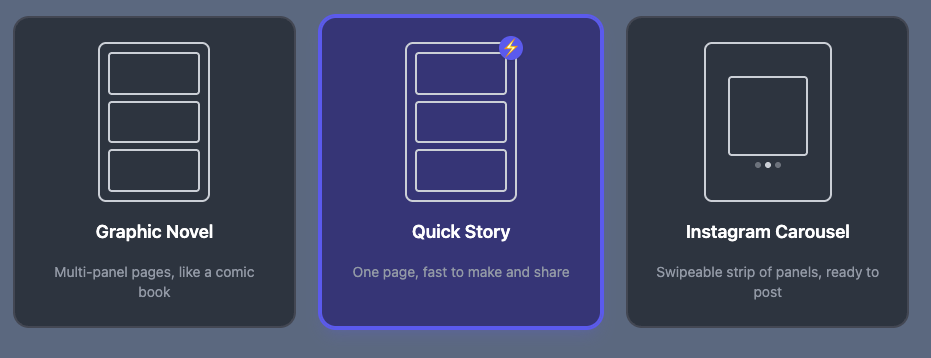
Most of what YarnSaga makes is a full graphic novel — a cover, many pages, a cast of characters, props, the works. That's the right tool when you're building something big. But a lot of the time you don't want to build a project. You want to make one good page, right now, and post it before the idea cools off.
That's Quick Story: a new, one-page format built for speed and sharing. One page, no cover, no props to wrangle, up to three characters, and a single tap to hand you a ready-to-post image and a link. It's live for everyone today.
Quick Story sits right next to Graphic Novel and Instagram Carousel when you start something new.
What a Quick Story is
When you start a new story you now pick a format. Alongside the full Graphic Novel and the Instagram Carousel, there's a third tile: Quick Story — "one page, fast to make and share." Pick it and you skip straight into the editor on a single, ready-made page. No template wizard, no setup checklist.
It's deliberately stripped down so there's nothing to configure before you're making art:
- One page only — no cover, no extra pages to manage.
- No props — that whole tab is gone, so there's less to think about.
- Up to three characters — enough for a scene with a couple of people in it, not a sprawling cast.
- Portrait or landscape, and your choice of panel layout — both picked right on the page, not in a separate step.
- One-tap Share — the whole point. More on that below.
Change the look until you commit
Quick Story is meant to feel loose. You can flip the page between portrait and landscape and swap the panel layout freely — right up until you generate your first panel. Once there's real art on the page, the orientation and layout lock so your page stays consistent. Changed your mind? Hit Clear page to wipe the panels and start the layout fresh — your characters stay put.
Your characters still hold together panel to panel, exactly like in a full story — Quick Story uses the same character system under the hood, so the same person looks like the same person across all three panels. (If character drift has ever burned you in other tools, here's how we keep characters consistent across every panel.)
Built to share
The reason Quick Story exists is the last step. When your page is done, hit Share: YarnSaga renders the page to a clean image and hands it straight to your phone's share sheet — image file plus a link to your story — so you can drop it into Instagram, a group chat, Discord, or anywhere else in one motion. On desktop it copies the link for you. No exporting, no downloading, no fiddling with files.
That makes it a different tool than the Instagram Carousel format, which is built for multi-slide posts you upload as a set. Quick Story is for a single shareable page you fire off in seconds.
When to reach for it
- A quick gag or reaction you want to post today, not next week.
- Content creators who need a one-off strip for a feed and don't want a full project open. (More in comics for content creators.)
- Testing a style or an idea — make one page, see how it lands, then decide whether it's worth growing into a full graphic novel.
- Anyone who just wants the fast win — make a thing, share a thing, done.
If you do want to go bigger later, nothing's lost: it's the same editor and the same art styles. Browse the full set on the art styles page — manga, chibi, superhero, noir, Ghibli-inspired and more — and the same idea reads completely differently in each one.
Quick Story vs. a full Story
Same engine, same characters, same quality — just a different shape:
- Quick Story — one page, no cover/props, up to 3 characters, layout chosen in-editor, one-tap share. For speed.
- Graphic Novel — cover, unlimited pages, full cast, props, the complete toolkit. For building something substantial.
And it costs the same as anything else: pay-as-you-go credits, bought once, that stay valid for six months — no subscription. See the packs on the pricing page.
Try it now
It's live for everyone. Open the app, start a new story, pick Quick Story, and you'll have a single shareable page in a couple of minutes.
As always — if you make something fun with it, or something breaks, email me directly. A real person reads every message.
Create your first story — no drawing skills needed
Characters stay consistent across every panel, automatically.
Request Early Access →More Articles
Explore YarnSaga