YarnSaga Is Now on Mobile — Make and Share Comics From Your Phone
July 13, 2026 · 4 min read
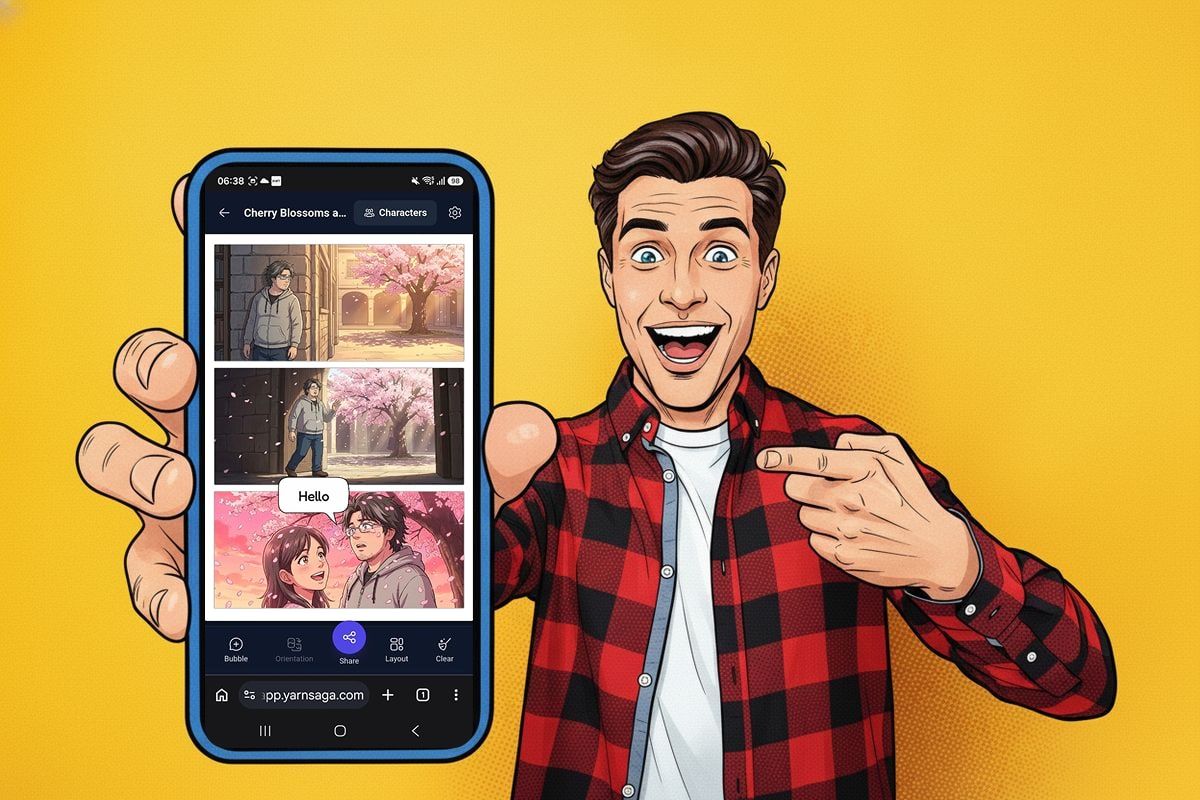
YarnSaga started life as a desktop tool. The full canvas editor — panels, characters, speech bubbles, props — really wants a big screen, and it still lives there. But the fastest, most fun thing you can do with YarnSaga isn't a big project. It's making one good page and firing it off before the idea cools. That part belongs on your phone.
So it's there now. YarnSaga works on mobile. Open app.yarnsaga.com on your phone and you get a made-for-mobile flow built around one loop: make a one-page comic, then share it — all without touching a computer.
Make a one-page comic and share it — start to finish, on your phone.
Made for the fast win
The heart of mobile is Quick Story — our one-page comic format. Pick an art style, type a one-line idea, and the AI writes and draws a three-panel comic for you. No template wizard, no setup — you go straight from an idea to something you can post, in a minute or two.
Your characters hold together panel to panel, exactly like in a full story — it's the same character system that keeps everyone looking consistent across every panel. The same person looks like the same person across all three.
Edit it right there
A generated comic isn't the end of the line — you can shape it, all by tapping:
- Tap any panel to regenerate it or rewrite the scene.
- Add speech bubbles — drag them, pinch to size, flip the tail, type your line.
- Add and edit characters right from the story.
- Change the layout, orientation, or art style before anything locks in.
It's the essentials of the editor, rethought for a thumb instead of a mouse.
The whole point: one-tap share
This is why it's worth doing on a phone in the first place. When your page is done, tap Share: YarnSaga renders it to a clean image and hands it straight to your phone's share sheet — image plus a link to your story — so it drops into a group chat, Instagram, Discord, wherever, in one motion. Make a thing, share a thing, done.
Three ways to start
Tap the + and you get three doors:
- Quick Story — pick a style, drop an idea, let the AI make the comic. The fast path above.
- Start from scratch — a blank page, straight into the editor, build it yourself.
- I'm the hero — feel like putting yourself in it? Add a selfie and the AI works you into the story as a character.
Phone to start, desktop to go deep
Mobile is built around one-page comics — that's the fast, shareable thing you want on the go. If you're building something bigger — a full graphic novel with a cover, many pages, a full cast and props — that still lives on the desktop canvas, where there's room to work. Full stories and carousels open on your phone in view-only mode, so you can always show someone what you made.
Same account, same characters, same art styles across both. Browse the full set on the art styles page — manga, chibi, superhero, noir, 3D animated, Ghibli-inspired and more — and the same idea reads completely differently in each one.
What it costs
The same as everything else in YarnSaga: pay-as-you-go credits, bought once, that stay valid for six months — no subscription. A one-page comic is a small handful of credits. See the packs on the pricing page.
Try it on your phone
Open app.yarnsaga.com on your phone, tap +, and make something. Add it to your home screen while you're there and it opens like an app.
As always — if you make something great with it, or something breaks, email me directly. A real person reads every message.
Create your first story — no drawing skills needed
Characters stay consistent across every panel, automatically.
Request Early Access →More Articles
Explore YarnSaga